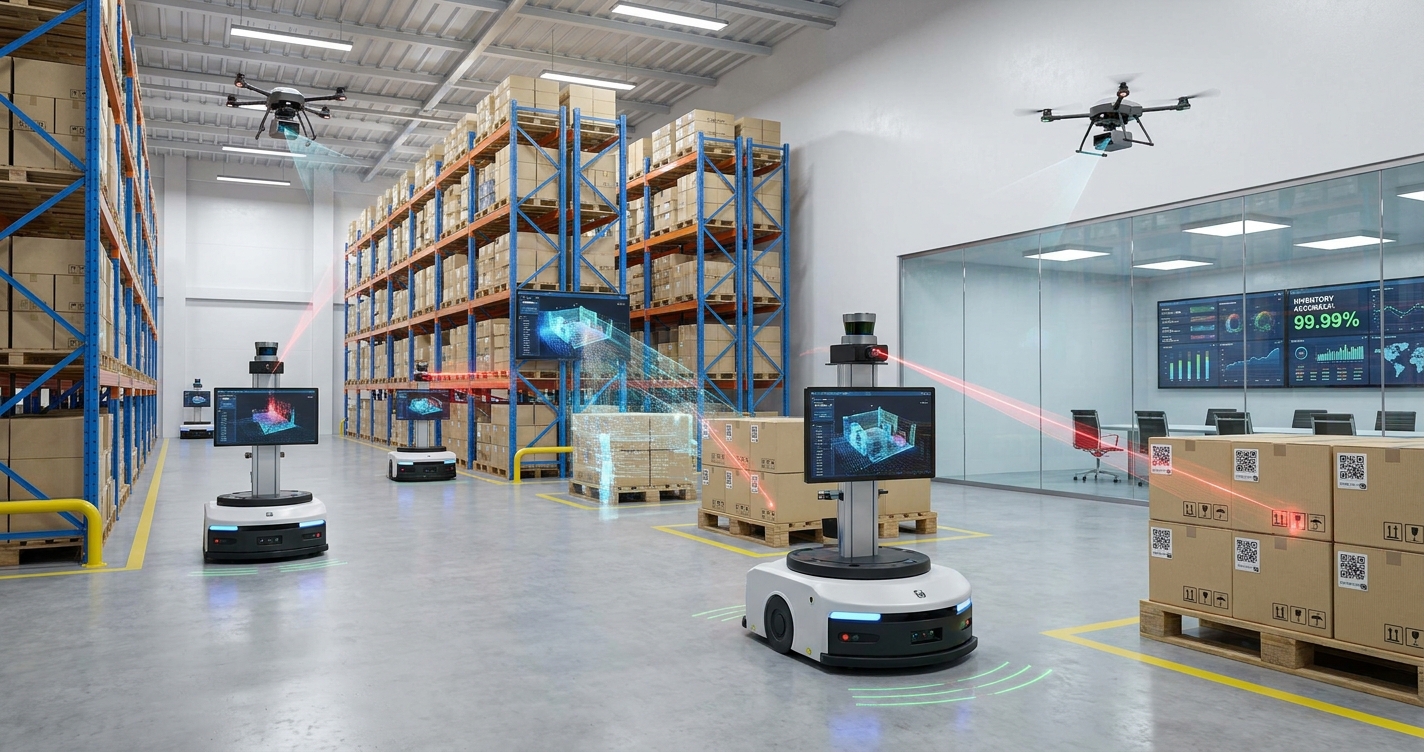
Warehouses use 3D scanning at three levels: fixed dimensioning stations that measure every carton or pallet as it moves, drones or robots that fly the racks to count and locate stock, and handheld phone scanners that measure and record individual items, odd-shaped freight and damage. Choose the level by the question you need answered: how big is it, where is it and how many are there, or what condition is it in.
Most failed projects start by buying one tool and expecting it to answer all three questions. This article covers what each setup does, how to get clean scans on real warehouse goods, how to check accuracy, and where rollouts go wrong.
What can 3D scanning actually tell you about your inventory?
A 3D scan gives you geometry: length, width, height, volume and the actual shape of a thing, including bulges, overhangs and dents. A barcode read is different. It only tells you identity and location.
In practice that geometry feeds four jobs:
- Dimensioning. Getting true carton and pallet dimensions into your WMS. Slotting, cartonization and freight billing then use real numbers instead of supplier estimates. Our piece on 3D scanning for freight dimensioning covers this in more detail.
- Load validation. Checking that a built pallet matches its specification before it leaves a station.
- Condition records. A timestamped 3D model of a crushed corner or leaning pallet is harder to dispute than a photo. See 3D scanning for freight damage assessment.
- Counting and locating. Here cameras reading labels do most of the work. 3D perception is used to navigate, not to model each box.
Which of these you need decides the hardware, the budget and who operates it.
Which scanning setup fits your warehouse?
The three setups solve different problems. Warehouses often combine them.
| Setup | What it is good at | Where it struggles | Typical operator |
|---|---|---|---|
| MagiScan or another phone-based scanning app | Measuring and modelling one-off items, irregular freight, returns and damage; no fixed installation; exports scans for other software | Throughput: one item at a time, and results depend on the operator's technique | Receiving clerk, QA staff, claims handler |
| Fixed dimensioner (for example Cubiscan Contour Pro) | High-volume, repeatable measurement at a station; full 3D contour data plus box dimensions; load validation, recipe checking and pass/fail checks for AGVs | Only measures what passes through the station | Inbound or outbound line, AGV hand-off point |
| Inventory drone (for example Corvus One, Delta Drone systems) | Navigating GPS-denied warehouses with cameras, scanning barcodes and recording product locations; 11,000 pallets inventoried in six hours in the GEODIS pilot | Built around reading barcodes and recording locations, not modelling item shape | Inventory or operations team |
On the fixed side, Cubiscan describes its Contour Pro system as capturing full 3D contour data in addition to standard box dimensions. That data supports load validation, recipe checking and pass/fail quality controls for automated guided vehicles. It is the right tool when every pallet must be verified before an AGV picks it up.
For rack counts, drones are already in documented use. MIT News reports that Corvus Robotics' drone navigates GPS-denied warehouse interiors using only cameras and neural networks. The Corvus One carries 14 cameras and an AI system that scans barcodes and records product locations. In a pilot with drone maker Delta Drone, GEODIS reported that one drone inventoried 11,000 pallets within six hours with 100% reliability at its Saint-Ouen-l'Aumône site in France.
The drones in these reports identify and locate stock. If your problem is "we do not know what is in aisle 14", a drone answers it. If your problem is "our dimensions in the system are wrong", it does not.
How do you scan a pallet or carton with a phone and get usable measurements?
This is where you need an app, and technique matters more than hardware. A phone scanning app such as MagiScan turns the phone into a 3D scanner and measuring tool. A receiving clerk can capture an awkward item without walking it to a fixed station. A routine that works:
- Clear space around the item. Leave enough room to walk a full circle. If you scan a pallet pushed against a wall, one face goes missing and the software guesses at it.
- Fix the lighting before you start. Even, diffuse light is best. Hard high-bay spotlights create bright patches on cartons and deep shadows under pallet decks.
- Move slowly and keep a steady distance. Fast sweeps produce blurry frames and broken surfaces. Walk at a pace where the preview fills in steadily.
- Capture the top and the base edges. People scan at chest height and forget the top. Raise the phone for one pass over the top face. Then make one low pass to catch where the load meets the pallet.
- Check the preview for holes before you leave. Re-scanning a gap takes seconds now. Later, it means a trip back across the building.
- Measure on the model, then record it. Take length, width and height from the scan and enter them against the SKU or the receiving record.
Why do stretch wrap and dark plastic cause holes in the scan?
Scanners need a surface that reflects light back in a predictable way. Glossy stretch wrap acts like a mirror at some angles, so the scanner either sees nothing or sees a reflection of something else. Black plastic totes and dark shrink film absorb much of the light, leaving too little signal.
Three fixes work on a warehouse floor:
- Change your angle so you are not looking straight into the shine.
- Soften the lighting.
- Tuck in loose film tails before scanning a wrapped load.
If an item is consistently unreadable, measure its bounding box instead of modelling its surface. That is usually all the WMS needs anyway.
How accurate are 3D scanning measurements, and how do you check them?
Accuracy depends on the scanner type, the distance, the surface and the operator. Test the setup you actually run rather than trusting a datasheet.
The professional world has an established method. A NIST publication on errors in structured-light 3D scanners notes that the German VDI/VDE 2634 Parts 2 and 3 guidelines are used as de facto standards for evaluating scanner performance. They were written as an extension of the ISO 10360 standards for coordinate measuring machines, though they are not formal ISO standards. The principle is simple: scan a reference of known size and compare.
You can run a warehouse version of this in an afternoon:
- Pick two or three reference objects: a rigid carton you have measured with a tape, a standard pallet, and one awkward item.
- Have each operator scan each reference several times, on different days, under your normal lighting.
- Record the spread of results, not just the average. A tool that is right on average but swings widely between scans will cause billing disputes.
- Repeat the check whenever you change phones, lighting or staff.
Then decide what "accurate enough" means for each use. Freight classes, cartonization and claims records all tolerate different errors. Write those tolerances down before rollout so nobody argues about them afterwards.
Does 3D scanning work for industrial inventory like spare parts and equipment?
Yes, and it is often more useful there than for standard cartons. Industrial stores hold items that barcodes describe poorly: castings, pipe fittings, motors, legacy parts with worn or missing labels.
A 3D model of a part can do several things a stock record cannot:
- Help someone match an unlabelled part on the shelf to a drawing.
- Record true overall dimensions for bin sizing.
- Give maintenance staff a reference when ordering a replacement for an obsolete component.
- Feed a 3D printer or an AR viewer, because the scan can be exported, when a part needs to be reproduced or shown to a supplier.
Industrial items are harder to scan than cartons. They are often metallic and reflective, small, or have deep recesses. Scan them on a matte surface, and turn the part rather than walking around a cluttered shelf. Accept that fine internal features may not capture well.
For a broader look at auditing stock this way, see 3D scanning for inventory auditing.
What mistakes slow down a 3D inventory rollout?
The same few problems come up repeatedly:
- Expecting scans to count stock. A 3D model of a shelf does not tell you how many units are inside closed cartons. Counting still depends on labels, system records or drones reading barcodes.
- No place for the data to go. Scans saved on a phone help nobody. Decide in advance which WMS field, claim file or product record each measurement lands in.
- Skipping operator training. Phone scanning is quick to learn but easy to do badly. A short session on pace, distance and checking the preview saves hours of re-scans.
- Measuring the wrong thing. For a pallet, decide whether you record the load, the load plus pallet, or the maximum overhang. Inconsistent definitions make data useless even when every scan is accurate.
- Scanning everything. Start with the items where wrong dimensions or disputed condition cost you money: oversized freight, returns, high-value parts. Expand once the routine is stable.
A sensible next step is a two-week pilot on one problem, with one team and one metric, using the accuracy check above. For per-item capture without installing hardware, MagiScan on a phone is a low-commitment way to run that pilot. It can sit alongside any fixed dimensioner or drone you already have.
Frequently Asked Questions
Can a phone replace a fixed dimensioner in a warehouse?
For low volumes, irregular items and spot checks, a phone scanner can do the job. A line that must measure every carton or pallet at speed with automatic pass/fail needs a fixed station, which is built for that throughput.
Do inventory drones create 3D models of my stock?
Mostly no. Systems like the Corvus One use cameras to navigate and read barcodes. They record what is in each location rather than modelling each item's shape.
Why does my scan of a wrapped pallet have holes?
Glossy stretch wrap reflects light like a mirror at some angles, and dark film absorbs it, so the scanner gets no usable signal. Soften the lighting, change your viewing angle and tuck in loose film before scanning.
How do I know if my scanned dimensions are accurate enough?
Scan reference objects of known size several times under your normal conditions. Look at both the average error and the spread between scans. Compare those against the tolerance each use actually requires, such as freight billing or bin sizing.