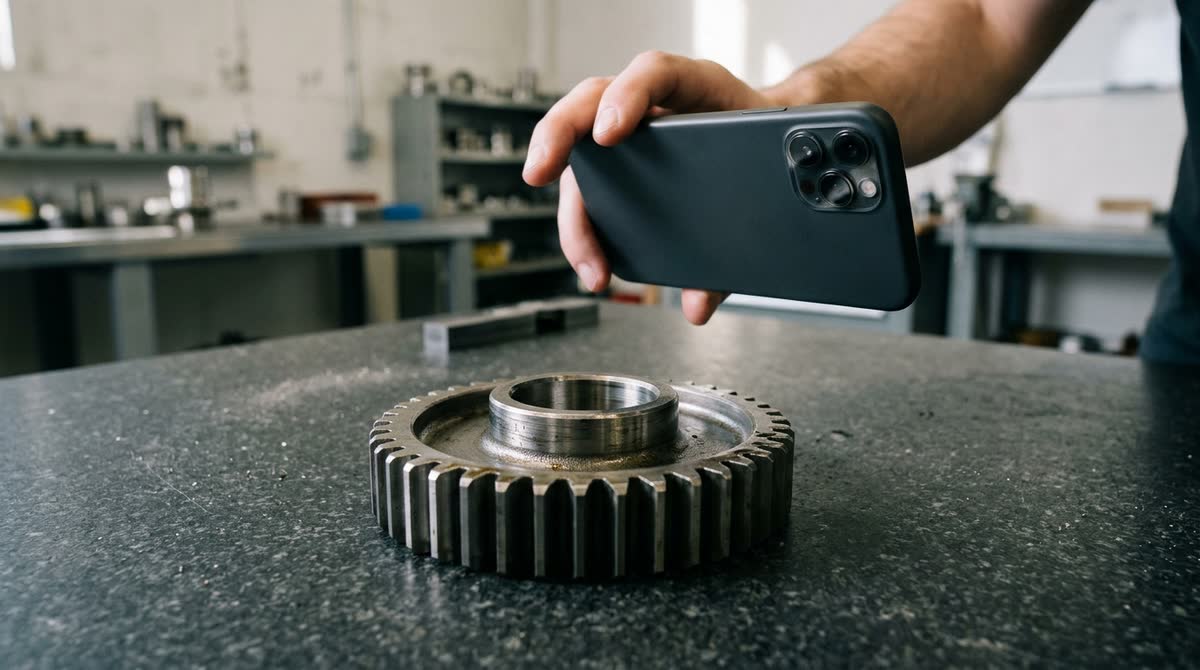
A smartphone 3D scan of an everyday object is usually accurate to about a centimetre: a study of the iPhone 12 Pro's LiDAR found that objects with a side longer than 10 cm were modelled with an absolute accuracy of ±1 cm, while a 130-metre coastal cliff came out within ±10 cm. On small rigid objects scanned under controlled conditions the error drops to around a millimetre, so the real answer depends on the size of the object, the sensor that builds the model and how carefully you scan.
That spread, from one millimetre to ten centimetres, is not a contradiction. It follows from how phone scanning works. Below is what independent tests measured, why accuracy changes with scale and surface, and how to check a scan before you order a crate, print a part or plan a room around it.
What accuracy do published tests actually report?
The most useful numbers come from studies that scanned objects of known size and compared the phone's model with a reference instrument. Here is what four of them found, from the smallest object to the largest.
| What was scanned | How | Reported accuracy | Study |
|---|---|---|---|
| A small carbon-steel part, 30 cm from the phone | Three LiDAR-equipped phones, bright and dark room | Absolute error under 1.1 mm in every direction | Sensors and Materials, 2025 |
| A head mannequin wearing a coded cap | Photo-based scan with Galaxy S22, S22+ and S22 Ultra, one common scale factor | Average error between 0.95 mm and 1.8 mm, depending on the phone | Sensors, 6 November 2023 |
| Small test objects with a side over 10 cm | iPhone 12 Pro and iPad Pro LiDAR | ±1 cm | Scientific Reports, 15 November 2021 |
| An indoor corridor and an outdoor street | Five iOS LiDAR apps | Around 1 cm in some areas, around 10 cm in others | ISPRS Archives, 14 December 2024 |
| A coastal cliff of 130 × 15 × 10 m | iPhone and iPad LiDAR | ±10 cm | Scientific Reports, 15 November 2021 |
Read the table from top to bottom and the pattern is plain: the closer and smaller the object, the smaller the error in millimetres. The best figures also come with the strictest setup. In the 2025 study every scan was taken at a fixed distance of 30 ± 2 cm, repeated five times per device, and checked against a caliper accurate to ±0.02 mm. The same paper reports relative errors of up to about 2.1%, a reminder that a one-millimetre slip is a large share of a small part.
So treat a millimetre as what a phone can reach on a small object in good conditions, and a centimetre as what to plan for on furniture, boxes and equipment scanned by hand.
Why do errors grow on rooms and large objects?
Three things work against you as the object gets bigger.
Range and point density. The phone's LiDAR is a short-range sensor. The Scientific Reports team measured a maximum range of up to 5 m and a point density that falls from 7,225 points per square metre at 25 cm to 150 points per square metre at 250 cm. Fewer points on a surface means softer edges and corners, and every measurement you take runs between two edges.
Drift. Anything larger than one view is stitched together from many frames while you walk. Small tracking errors add up along the path, so the far end of a long wall can sit slightly off from where it should be. In the ISPRS test of five iOS apps against a terrestrial laser scanner, the apps that did best were the ones using loop closure to reduce trajectory drift. The practical version: end a room scan where you started, so an app that uses loop closure can recognise the known ground and correct the drift.
Small features. At the other extreme, LiDAR loses detail. The same 2021 study found that precision decreases on surfaces under 10 cm side length and that the limit of detection is around 5 cm. A screw head or a thin bracket may simply not appear in a LiDAR mesh, so you cannot measure it there.
Is a LiDAR scan more accurate than a photo-based scan?
They fail in different ways, so neither wins everywhere.
LiDAR measures distance directly, so the model comes out at real-world size without any extra step. Its weakness is resolution: coarse points, softened edges, little fine detail.
A photo-based scan (photogrammetry) rebuilds shape from many overlapping pictures and can resolve much finer detail. Its weakness is scale. Photos alone tell the software the shape, not how big it is, so the size has to come from somewhere. In the head-scan study with three Galaxy S22 models, one common scale factor for all three phones gave average errors between 0.95 mm and 1.8 mm on a head-sized object. The authors found that applying scale factors had a statistically significant effect on accuracy, recommend determining the scaling factor for each smartphone model, and call proper scaling an essential decision for measurements without a systematic bias.
For your own scans this means:
- With LiDAR, trust overall dimensions of mid-sized objects more than fine features.
- Without LiDAR, put something of known length in the scene, such as a steel ruler or a box you have measured, and check the scan against it before you measure anything else.
- For close-up detail on small objects, a photo-based capture often shows more than LiDAR, as long as the scale is fixed.
Which surfaces and conditions throw measurements off?
The sensor itself tells you where it is unsure. Apple's ARKit documentation says the framework is less confident about the accuracy of the LiDAR Scanner's depth measurements for surfaces that are highly reflective, or that have high light absorption, and it attaches a confidence level to every value in the depth map. Typical trouble spots are polished metal, glass, glossy paint and matte black plastic.
The way you hold the phone matters too. The 2025 study found measurements along the width axis slightly affected by lateral reflections and variations in holding angle, and concluded that accuracy is highly sensitive to how steadily the phone is held, how reflective the surface is and the ambient lighting.
What helps:
- Even, diffuse light. Avoid hard sun patches and deep shadow on the same object.
- A slow, steady path at a constant distance, without sudden turns.
- On shiny or dark spots, a removable matte coating or a strip of masking tape, so the sensor has something to read. Our guide to scanning shiny, black or transparent objects covers this step by step.
How do you check a scan's accuracy before relying on it?
Never take the first number from a scan on faith when the result matters. A quick check tells you how far off this particular scan is.
- Measure one reference dimension by hand first. Use a tape or caliper on the longest straight edge you can find.
- Scan and measure the same edge in the app. In MagiScan, which turns the phone into a 3D scanner and measuring tool, take that measurement right after the scan, while the object is still in front of you.
- Compare. If the difference is larger than your job can tolerate, rescan with better light or a steadier path before you measure anything else.
- Scan two or three times. The spread between scans shows how repeatable your result is. The 2025 study repeated each scan five times to check that its results were stable.
- Measure between hard edges. Rounded corners and soft upholstery have no single correct point, so the number moves depending on where you click.
For more on technique, see how to get accurate measurements from a 3D scan.
When is a phone scan accurate enough for the job?
Compare the error you can expect with the tolerance you need.
- Centimetre tolerance: furniture fit, parcel and pallet dimensions, rough volumes. A careful phone scan handles these well. For a whole room, allow more, since drift can push some areas towards the 10 cm errors seen in corridor and street tests. Our walkthrough on measuring furniture with an iPhone 3D scan shows the routine.
- Millimetre tolerance: replacement parts for 3D printing, product dimensions for a listing, a fit check on a bracket. Possible on small objects in good conditions, but verify one dimension by hand every time.
- Below a millimetre: machined parts and tight fits. Here a phone is a shape tool, not a measuring instrument. Even the studies above judged the phones against a caliper and a dedicated 3D scanner.
If you are unsure which side of the line your work falls on, do I need a 3D scanner or is a phone app enough? walks through the decision. For the many jobs where a centimetre or a few millimetres is acceptable, a phone app such as MagiScan, on iPhone or Android, gives you a scan you can measure and export for 3D printing, AR or e-commerce. For anything tighter, use the scan for shape and a contact tool for the critical dimension.
Frequently Asked Questions
Is an iPhone LiDAR scan accurate enough to measure furniture or boxes?
For most furniture and parcel decisions, yes, as long as an error of around a centimetre does not change the answer. In an independent test, iPhone and iPad LiDAR measured objects with a side longer than 10 cm to within ±1 cm, which is enough to check whether a box fits a shelf or a sofa clears a doorway with room to spare. Check one edge with a tape measure before you rely on the rest of the scan.
Can a phone without LiDAR take accurate measurements from a scan?
Yes, if the scale is set correctly. A photo-based scan captures the shape well, but its size has to come from a known reference, so include a ruler or a measured object in the scene and check the model against it. Without that step, every measurement in the model can be off by the same factor.
Why do two scans of the same object give different measurements?
Hand-held scanning varies with distance, angle, steadiness and light, and reflective or dark surfaces give the sensor less reliable depth readings. Each pass therefore produces a slightly different model. Take two or three scans and measure the same edge in each; if they agree closely, the result is repeatable.
Is a smartphone 3D scan accurate enough for engineering or medical work?
It depends on the tolerance the task demands. Research scans have reached around a millimetre on a small rigid part under controlled conditions, but those studies still used calipers and dedicated scanners as the reference. Where a fraction of a millimetre matters, use the phone scan for overall shape and a calibrated instrument for the critical measurements.