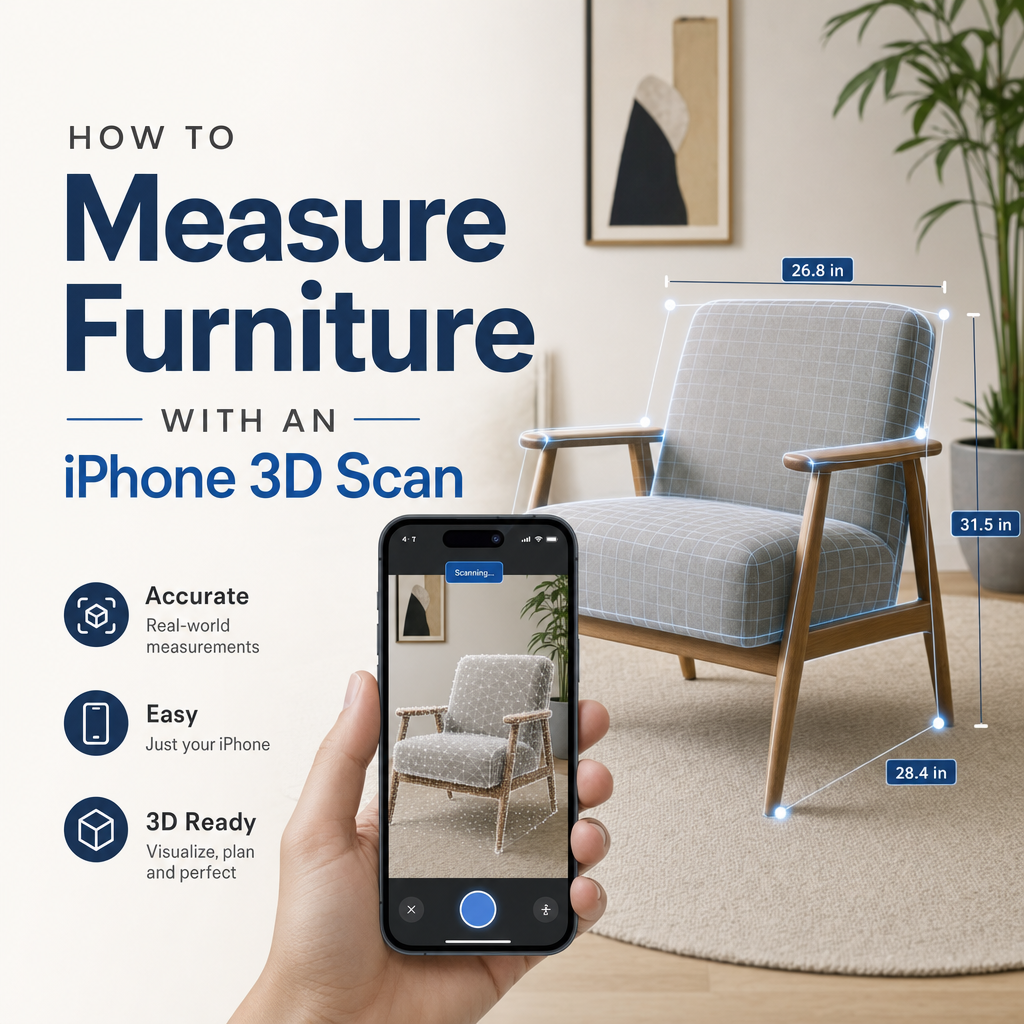
To measure furniture with an iPhone 3D scan, walk slowly around the piece with a scanning app, ideally on a LiDAR-equipped Pro model, and let it build a 3D model. Then take width, depth and height by placing points on the finished model rather than on the live camera view. Treat every phone measurement as approximate, and confirm tight fits, like a sofa going through a doorway, with a tape measure.
The rest of this article covers the setup, the scanning routine, which tool to pick, how far to trust the numbers, and the mistakes that most often throw them off.
What do you need before you scan furniture?
You need three things: a phone that can capture depth well, an app that keeps a measurable model, and enough room to walk all the way around the piece.
Depth sensing. Pro iPhones with a LiDAR Scanner read depth directly, which helps with large, plain surfaces like tabletops and sofa backs. Apple's own Measure app support page notes that LiDAR-equipped Pro devices add visible measurement guides and a history of past measurements. If your phone has no LiDAR, you can still build a model from photos. The workflow is different, and it is covered in how to 3D scan without LiDAR on an iPhone.
Space around the piece. A scanner can only measure what it sees. If a sideboard is pushed against the wall, the app has to guess where its back is. Pull it out far enough to get the phone behind it, or accept that depth will be the least reliable number.
Even light. Turn on room lights and avoid strong sunlight striping across the surface. Hard shadows and bright patches confuse tracking more than a dim but even room does.
How do you measure a piece of furniture step by step?
This is the routine that gives repeatable numbers on chairs, tables, sofas and cabinets.
- Decide what the measurement is for. For delivery or moving, you need the overall envelope: the widest, deepest and tallest points, including arms, feet and handles. For a listing or a replacement part, you may need specific dimensions such as seat height or the distance between legs. Knowing this tells you which surfaces must be captured cleanly.
- Clear the piece. Remove throws, loose cushions you will not move with it, and anything sitting on top. Clutter becomes part of the mesh and inflates the height.
- Open your scanning app. Apple's step-by-step guide for Measure tells you to slowly scan nearby objects with the camera and then position the iPhone so the item appears on screen. The same principle applies to full 3D scanning: give the phone time to understand the room before you aim at the furniture. For a model you can measure later, use an object-scanning app. In MagiScan, which turns the phone into a 3D scanner and measuring tool, you capture the piece once and can go back to the saved scan for more dimensions.
- Walk a full loop at a steady distance. Start at one corner and move around the piece in a slow arc, keeping the whole item or most of it in frame. Do a second, lower pass for legs and the underside of the seat, and a higher pass looking down for the top surface.
- Check coverage before you leave. Rotate the finished model. Look for holes under seats, behind backs and between cushions. Re-scan now rather than discovering a gap once the furniture has gone.
- Measure on the model, not the live view. Place points on flat, well-captured faces. For width, measure arm to arm at the widest point. For depth, measure from the front of the arm or seat to the back. For height, measure from the floor to the highest point of the back.
- Tape-check one dimension. Measure the longest dimension with a tape. If it agrees with the scan, you can trust the others more. If it does not, re-scan.
Measure app, room scan or object scan: which should you use?
There are three practical ways to get furniture dimensions from an iPhone. They answer different questions.
| Method | What you get | Best for | Limits |
|---|---|---|---|
| MagiScan object scan | A 3D model of the piece you can measure afterwards, exportable for 3D printing, AR and e-commerce | Listing a piece online, checking fit later, sending the model to someone else | Needs a full walk-around; phone scans are still approximate, so tight fits need a tape check |
| Apple Measure app | Point-to-point lines on the live camera view, plus guides and measurement history on LiDAR Pro devices | One or two quick dimensions on the spot | Apple states measurements are approximate; you measure in the moment rather than from a saved 3D model |
| RoomPlan-based room scan | A 3D floor plan with dimensions and detected furniture types | Seeing whether furniture fits a wall, alcove or layout | Furniture is described by category and dimensions, not a detailed shape; room-scale accuracy can drift |
Room scans deserve a closer look because people often expect them to measure furniture in detail. According to Apple's machine learning research page on RoomPlan, the framework uses ARKit, RealityKit, the LiDAR Scanner and the camera to generate a 3D floor plan with dimensions. It detects furniture across 16 object categories, including sofas, tables and appliances.
Apple's WWDC22 session on RoomPlan explains that each detected object, such as a table, sofa, chair or bed, carries dimensions, a confidence score and a 3D transform describing its position. That is useful for planning a layout. It is a parametric description, though, not a scan of the actual shape. A curved sofa arm or a tapered table leg will not show up as it really is.
Rule of thumb: use Measure for a quick number, a room scan for where things go, and an object scan when you need the piece itself.
How accurate is an iPhone furniture measurement?
It is good enough for planning and approximate by design. Apple's own Measure support page warns that measurements are approximate.
Independent testing shows how far off things can drift at room scale. In a technical review of RoomPlan by it-jim, a 6.45-metre wall was measured as 6.821 metres, a deviation of more than 37 cm. That is a wall, not a chair, but it shows how errors build up.
The phone estimates its own position as you move, and small tracking errors accumulate over distance. A single armchair scanned from close range gives drift less room to grow than a long wall. Edges add their own fuzziness: the scanner averages depth across a small area, so a crisp corner can come out slightly rounded or bulged. That error lands right where you tend to place measurement points.
In practice:
- Use scan numbers to decide whether something is clearly fine or clearly too big. A sofa that is much narrower than the doorway is fine.
- Use a tape when the margin is tight. If the scan says the gap is only a couple of centimetres, the scan cannot settle the question.
- Measure flat faces, not edges. Pick points a little in from the corner on each side, then add the small difference back if it matters.
For a deeper look at reducing error, see how to get accurate measurements from a 3D scan.
What mistakes throw off furniture measurements?
Most bad furniture measurements come from a handful of repeat problems.
Measuring on the live view. Points placed while the phone is still moving snap to whatever surface the tracker currently believes in. Finish the scan, then measure on the model.
Moving too fast. Quick sweeps cause motion blur and tracking jumps, which show up as doubled edges or a stretched mesh. Slow down, especially when turning corners around the piece.
Difficult materials. Black leather, glass tabletops, mirrored doors and chrome legs reflect or absorb light in ways depth sensors struggle with. You get holes or floating surfaces. Techniques for these materials are in how to 3D scan shiny black or transparent objects.
Soft furniture changing shape. Cushions compress when you lean on them and spring back later. Scan the piece in the state it will be moved or displayed, and do not rest a hand on it during capture.
Forgetting protrusions. Handles, knobs, feet, recliner levers and decorative trim often set the true outer dimensions. If they are poorly captured, your envelope will be too small.
Ignoring the confidence score. If you use an app built on RoomPlan, a low-confidence object is the app telling you its dimensions are a guess. Re-scan that area rather than trusting the number.
Missing the back. A piece scanned against a wall has no captured back face, so depth is estimated. Pull it out or tape-measure depth separately.
What do you do with the scan once you have the dimensions?
The advantage of a 3D scan over a tape is that the model stays useful after the measuring is done.
- Moving and delivery. Keep the model and its key dimensions together, so whoever plans the move can check doorways, stairs and lifts without visiting.
- Selling or listing. A model lets buyers see the shape and size of the piece, not just three numbers in a description.
- Client and contractor work. Interior designers and fitters can check a piece against a space remotely. How to share a 3D scan with a client covers formats and viewing options.
- Replacement parts and custom pieces. A model of a table leg or a cabinet handle gives a maker something to work from, though critical fits should still be confirmed by hand.
Keep the scan, write the tape-checked dimension next to it, and note which faces were well captured. The next person who uses the file will know which numbers to trust. For a single piece you want to measure, revisit and export, MagiScan covers that on both iPhone and Android, with Apple's Measure app for quick checks and a tape for the final call.
Frequently Asked Questions
Can I measure furniture with an iPhone that has no LiDAR?
Yes. You can use the Measure app or a photo-based scanning app, which builds the model from many overlapping pictures. Expect to take more care with lighting and coverage, and tape-check anything critical.
Is the iPhone Measure app accurate enough for furniture?
It is fine for quick estimates, but Apple itself describes its measurements as approximate. Use it to decide whether a piece is clearly too big or clearly fine, and use a tape measure when the margin is small.
Does RoomPlan measure furniture automatically?
RoomPlan detects furniture in 16 categories and records dimensions, a confidence score and position for each object. It describes furniture parametrically rather than capturing its exact shape, so it suits layout planning better than detailed measurement.
How do I check whether a sofa will fit through a door using a scan?
Scan the sofa and measure its overall width, depth and height on the model, including arms and feet. Then measure the doorway the same way. If the margin is tight, confirm both with a tape before moving day.