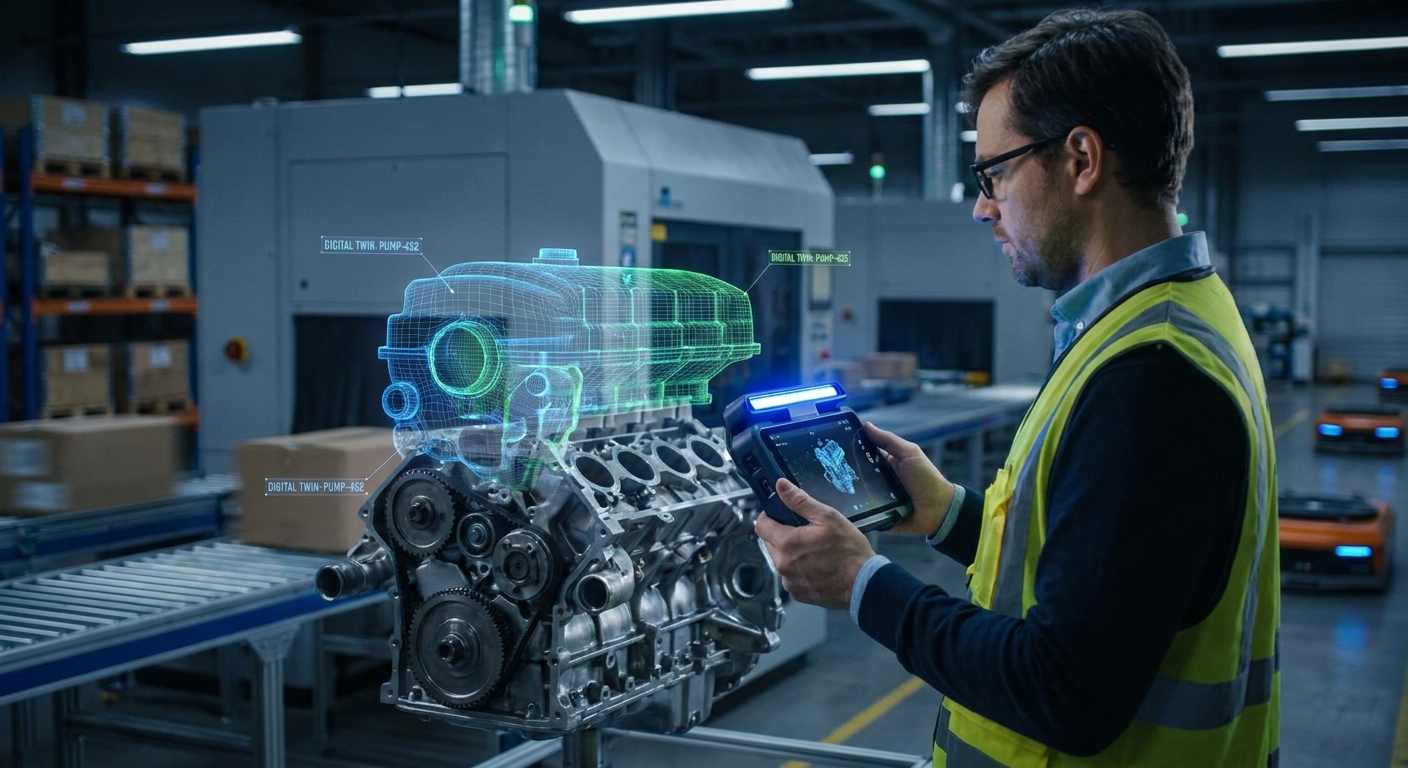
To build a digital twin of an industrial asset with mobile scanning, capture the asset or area with a phone app or a handheld scanner. Then check the result against a dimension you measured by hand, and export a clean mesh or point cloud into the system that holds your asset records. The scan gives you the geometry. It only becomes a digital twin once it is linked to the asset's data and rescanned whenever the physical asset changes.
That second step is where most projects stall. This guide covers both halves: getting a usable scan of a pump skid, conveyor line or machine hall, and keeping it accurate afterwards.
What does a scan need before it counts as a digital twin?
The term has a formal meaning. The joint ISO/IEC technical committee published ISO/IEC 30173:2023, 'Digital twin – Concepts and terminology', which describes digital twin concepts meant to apply across domains. For factories, NIST reports that ISO 23247 defines a manufacturing digital twin as a "fit for purpose digital representation of an observable manufacturing element with synchronization between the element and its digital representation."
Two phrases in that definition decide how you scan.
Fit for purpose means you decide what the twin is for before you pick up a scanner. A twin used to plan where a new machine will go needs correct room geometry and clearances. A twin used to order a replacement guard needs the guard's dimensions and mounting points. These are different scans.
Synchronization means the model gets updated when reality changes. A scan of a line that has since been rearranged is a historical drawing, not a twin.
ISO 23247 also splits a digital twinning system into four layers, the lowest of which describes the observable manufacturing elements on the shop floor that need to be modelled. Mobile scanning lives in that bottom layer. It records what is physically there. Sensor feeds, data connections and analytics sit above it and need their own planning.
Which mobile scanner fits which industrial asset?
"Mobile scanning" covers three quite different classes of equipment. Picking the wrong class is the most expensive mistake you can make, because it either leaves you without detail or buries you in data you cannot use.
| Option | What it is | Where it fits | What to know |
|---|---|---|---|
| MagiScan on a phone | App that turns an iPhone or Android phone into a 3D scanner and measuring tool, with exports for 3D printing, AR and e-commerce | Individual assets and parts: motors, valves, guards, brackets, small skids, quick dimension checks | Phone-based capture, so verify results against a hand measurement; for whole halls, pair it with building-scale tools |
| Leica BLK2GO | Handheld laser scanner with SLAM-based positioning, carried through a space | Plant rooms, equipment in context, walk-through capture of an area | Published specs list relative SLAM accuracy of 6–15 mm, a Class 1 laser per IEC 60825-1 and IP54 ingress rating |
| NavVis M6 | Indoor mobile mapping system | Entire factory floors and multi-site production networks | Siemens scanned 10,000 square meters of factory space in one day with it; NavVis positions its technology for capturing production assets and buildings across a global network |
In practice, many teams combine them: building-scale mapping for layout and context, and a phone for asset-level detail that would be slow or awkward to capture with a larger rig. For a broader look at hardware, see this mobile 3D scanner comparison, and for software options, the overview of mobile scanning apps for industrial and digital twin pipelines.
How do you scan an industrial asset step by step?
- Write down the purpose and the tolerance. State which decisions the twin supports and how close the dimensions need to be. If a centimetre or so on a long conveyor is fine, a phone or SLAM scanner will do. If a flange has to mate with existing pipework, plan to measure those features with calipers and attach the numbers as annotations.
- Make the asset safe and still. Agree a window with operations. Moving parts, vibration and people walking through the scan area produce ghosting and smeared surfaces. Scanning during a stop or planned outage, under your site's lockout rules, gives cleaner data and keeps you out of harm's way.
- Deal with difficult surfaces. Polished stainless steel, machined shafts, black rubber and glass sight gauges are the usual trouble spots. Depth sensors and cameras rely on light coming back in a predictable way: shiny surfaces bounce it off at an angle, dark ones absorb it, and both leave gaps. Change your angle, diffuse harsh lighting, or apply removable scanning spray or matte tape where the asset owner allows it.
- Measure a reference dimension. Use a tape or laser distance meter to record one or two long dimensions, such as the overall length of the base frame. You will check the scan against these later.
- Capture with overlap. Move slowly and keep a steady distance. Orbit the asset at two or three heights, and get the top and underside where you can reach safely. For asset-level capture on a phone, this is the step where an app such as MagiScan comes in: it turns the phone into the scanner and measuring tool, and you export the result for the next stage. With a SLAM scanner on a larger area, finish where you started so the software can close the loop.
- Check before you walk away. Open the result and look for holes, doubled surfaces and straight edges that have gone wavy. Measure your reference dimension in the scan. Going back tomorrow costs far more than another two minutes today.
- Clean, name and link. Trim the floor and surrounding clutter, name the file with the asset ID and capture date, and attach it to the asset record in your maintenance or asset management system.
A longer walkthrough of the planning side is in the guide to creating industrial asset digital twins with 3D scanning.
Why do industrial scans come out with holes, drift or wrong dimensions?
Most failed scans trace back to a handful of causes.
Holes. Usually occlusion (a pipe hidden behind another pipe), reflective or very dark surfaces, or simply not covering the underside. Add passes from new angles. Some areas will stay unreachable; note them so nobody later assumes the empty space is real.
Drift. SLAM devices and phone tracking estimate position as they move, and small errors build up over long paths. Feature-poor spaces such as long blank walls or rows of identical racking make it worse. The BLK2GO's 6–15 mm figure is a relative accuracy, which is exactly why closing loops matters. Split large areas into sections, close each loop, and add visual features if a space is too uniform.
Wrong scale. If the reference dimension in the scan does not match the tape measurement, do not use the model for anything that depends on size until you know why.
Blur and ghosting. Moving too fast, equipment cycling during the scan, or people crossing the field of view.
Too much data. Capturing an entire room when you needed one gearbox gives a file that is slow to open and hard to use. Scan to the purpose you wrote down in step one.
If accuracy is the deciding factor for your project, the article on digital twin accuracy for industrial asset management goes deeper into tolerances.
What format should you export for an industrial digital twin?
Choose the format by where the data is going, not by habit.
- Point cloud (PLY, E57, LAS): best for as-built comparison, layout planning in CAD or BIM tools, and checking clearances before an installation.
- Textured mesh (OBJ, FBX): for visual inspection, documentation and handing a realistic model to someone off site.
- AR formats (USDZ, GLB): for viewing the asset at full size on a phone or tablet, for example to check whether a replacement unit fits a bay.
- STL: for 3D printing a replacement part or fixture. It carries geometry only, no colour.
A scan does not produce a parametric CAD model. If you need an editable STEP file, the mesh becomes the reference for reverse engineering in CAD. Check which formats your scanning tool actually exports before committing to a pipeline, and keep the full-resolution original as a master with lighter copies derived from it.
How does a scanned digital twin improve asset management and operations?
The practical gains come from replacing guesswork and site visits with a geometry record people can trust.
- An as-built record. Original drawings rarely match what has been modified over the years. A current scan shows what is actually installed.
- Planning without a site visit. Engineers can check clearances, access routes and mounting points for a new machine or a relocation from their desk.
- Spare parts and replacements. A scanned bracket or guard with verified dimensions can be reordered, modified or printed.
- A condition baseline. Scan after commissioning or a major overhaul, then rescan after an incident and compare the two to see what moved or deformed.
- Consistency across sites. NavVis describes using mobile mapping to keep an up-to-date digital twin across a global manufacturing network, which is the same idea applied at scale.
None of this holds if the scans go stale. Set rescan triggers: after any modification, relocation, major maintenance outage or damage event. Treat each scan as one digital asset connected to the systems around it, which is how ISO terminology work frames the concept: situated within a larger system of digital assets and services, not standing alone.
Where should you start?
Pick one asset that causes real pain, such as a machine that gets modified often or a component that is hard to source. Scan it, verify it against a hand measurement, link it to the asset record and agree when it will be rescanned. For asset-level work, a phone with MagiScan is a low-cost way to prove the workflow; for whole halls and multi-site networks, a handheld SLAM device or mobile mapping system is the better fit. Expand once the first twin is actually being used.
Frequently Asked Questions
Is a smartphone scan accurate enough for an industrial digital twin?
For many asset-level uses, such as documentation, clearance checks and AR fit checks, it can be, provided you verify it against a dimension measured by hand. For tight-tolerance features like mating flanges, measure those directly and add the values to the twin rather than relying on the mesh alone.
How often should industrial assets be rescanned?
Rescan whenever the asset changes: after modifications, relocations, major maintenance or damage. A fixed calendar schedule matters less than these triggers, because the twin is only useful while it matches the physical asset.
What is the difference between a 3D scan and a digital twin?
A 3D scan is a geometric snapshot. Under the ISO 23247 definition, a digital twin is a fit-for-purpose representation kept synchronized with the real element, so the scan becomes one part of the twin once it is linked to asset data and kept up to date.
Can you scan a whole factory floor with a phone?
It is possible in sections, but drift accumulates over long paths and the data becomes hard to manage. Purpose-built mobile mapping is designed for that job; Siemens used a NavVis M6 to scan 10,000 square meters in one day, while phones are better suited to individual assets and components.