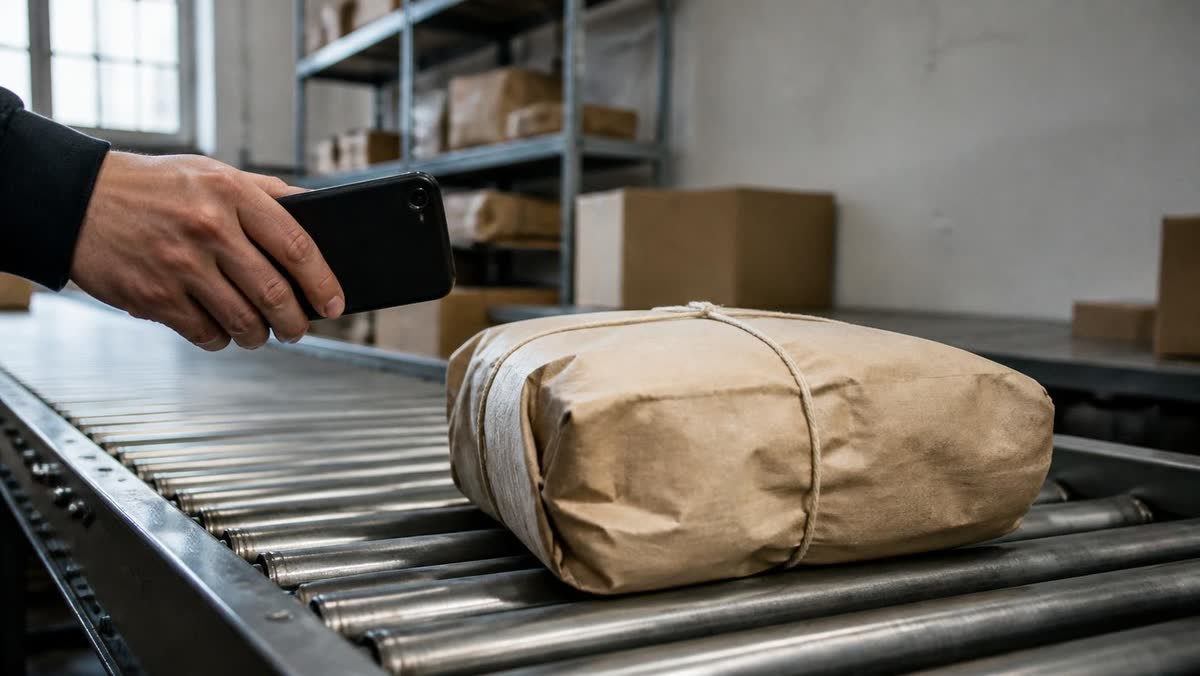
You reduce shipping errors with 3D measurement by measuring each item and each packed parcel instead of typing or guessing dimensions, then letting the shipping system compare those numbers with what the order should contain before a label is printed. That one check catches three costly mistakes: dimensions that do not match the physical parcel, the wrong item or quantity in the box, and a carton that does not fit the product.
Below: where each error comes from, which measuring tool belongs at which step, how to set up the check, and the habits that make 3D measurement give wrong answers.
Which shipping errors can 3D measurement catch?
Most shipping errors that dimensions can reveal fall into four groups.
Declared dimensions that do not match the parcel. Someone copies the product size onto the label instead of the box size, rounds down, or reuses a default box. A carrier that measures the parcel itself can bill the difference later.
The wrong item or the wrong quantity. If a packed parcel is clearly larger or smaller than the carton the order should need, something is off: a missing unit, an extra unit or a different product. The measurement flags the parcel; a barcode scan then tells you what exactly went wrong.
The wrong carton. A box that is too big ships air and can push the parcel into dimensional-weight pricing. A box that is too small leaves no room for protection and invites damage claims.
Bad master data. If the dimensions stored for a SKU are wrong, every order for that SKU inherits the error: cartonization picks the wrong box and every label is wrong in the same way. It is also the hardest kind to spot, because it repeats on every order without anyone noticing.
3D measurement does not catch errors that leave the size unchanged, such as a wrong color or size variant in identical packaging, or a wrong address. Those need barcode verification and address validation.
Why does a wrong dimension turn into a billing error?
Because the carrier's numbers win. Under the Priority Mail rules in the USPS Domestic Mail Manual, section 123, a parcel over 1 cubic foot (1,728 cubic inches) pays postage on its actual weight or its dimensional weight, whichever is greater. In the rules updated on 12 July 2026, each measurement is rounded up to the next whole inch, the product of the three is divided by 139, and the result is rounded up again to give the dimensional weight in pounds. For a nonrectangular parcel, the extreme dimensions are measured and the volume is multiplied by 0.785 first.
The rounding is where small measuring errors become billing errors. Take a box that really measures 12.2 × 10.1 × 14.3 inches. Under that rule it counts as 13 × 11 × 15, which is 2,145 cubic inches, over the 1,728 threshold, so its dimensional weight is 2,145 ÷ 139 = 15.4, rounded up to 16 pounds. If the packer typed 12 × 10 × 14, the system saw 1,680 cubic inches, below the threshold, and rated the parcel on its actual weight. A fraction of an inch on each side moved the parcel into a different pricing rule, and a carrier that measures the parcel itself can charge the difference.
USPS also wants dimensions on more labels. According to Pitney Bowes' Shipping 360 documentation of the USPS changes effective 12 July 2026, shipment requests for applicable commercial parcel services must include the parcel's actual length, width and height, and missing or mismatched dimensions can lead to post-shipment adjustments. In the first phase, the Dimension Noncompliance Fee applies to parcels larger than 1 cubic foot or longer than 22 inches when dimensions are missing or do not match the parcel; in a second phase, tentatively in 2027, USPS plans automated validation for all applicable parcels. Other carriers publish their own divisors and rounding rules in their rate guides, so check each carrier you use rather than reusing one formula for all of them.
Which 3D measurement tool fits which step?
There are three practical options, and they are not interchangeable.
| Tool | Where it fits | Main limit |
|---|---|---|
| Fixed dimensioner at the pack or dock station | Measuring every outgoing parcel at line speed and sending dimensions straight to the shipping system | Fixed position and installation; needs approval where its readings are used for charges |
| Phone 3D scanning app | Capturing new SKUs, irregular items, returns and one-off freight; keeping a 3D record of the packed state | Results depend on distance, light and surface; billing use needs approved equipment |
| Tape measure and manual entry | Occasional checks and spot audits | Slow, and every reading is typed by hand |
If you charge your own customers by measured size, for example a 3PL billing storage or freight by volume, the device itself matters. NIST Handbook 44, Section 5.58 (2026 edition) applies to dimension and volume measuring devices used to calculate freight, storage or postal charges, and sets maintenance and acceptance tolerances of plus or minus one division. Use equipment approved for that purpose where your jurisdiction requires it.
A phone is the right tool for the work around the dimensioner: building the item master, measuring odd shapes a fixed station cannot handle, and documenting what was packed. Apple's guide to the iPhone Measure app says it works best on well-defined objects 0.5 to 3 meters from the phone and that its measurements are approximate. Treat any phone measurement the same way: fine for capture and checks, confirmed against a reference before you rely on it. A 3D scanning app such as MagiScan turns an iPhone or Android phone into a 3D scanner and measuring tool, so an irregular item can be scanned once and measured from the model instead of with a tape. If you are choosing between dedicated hardware and a phone, Do I Need a 3D Scanner or Is a Phone App Enough? goes through the trade-offs.
How do you set up a dimension check that stops errors before dispatch?
- Fix the item master first. Measure every SKU in the packaging it ships in. The GS1 Package and Product Measurement Standard (Release 3.2, ratified in March 2024) says digital equipment should be used whenever possible, that several random samples should be measured when packages vary, and that measurements should be retaken whenever a change to the product or package may affect its dimensions. So re-measure whenever a new SKU arrives or a supplier changes its packaging.
- Measure the packed parcel, not the product. The label needs the outer carton after taping and labeling. For bags and irregular parcels, take the extreme dimensions, as the USPS rule does.
- Compare against what the order should be. Your cartonization logic already knows which box the order needs. If the measured parcel differs from that box by more than your tolerance, hold it. Set the tolerance no tighter than your tool can reliably resolve, or you will stop good parcels.
- Let the software round. Store measurements with a decimal and let the shipping system apply each carrier's rounding. Rounding down by hand at the pack station is exactly the habit that produces the 12 × 10 × 14 label in the example above.
- Keep the record. Save the measurement, and for high-value or fragile items a scan or photo, against the tracking number. When a carrier adjustment or a damage claim arrives weeks later, you can answer it with data.
For getting reliable numbers out of a phone scan, see How to Get Accurate Measurements from a 3D Scan.
What makes 3D measurement give wrong numbers?
Bad measurements in a warehouse usually trace back to one of these causes.
- Reflective and dark surfaces. Shrink wrap, glossy cartons, black poly mailers and clear blister packs confuse optical sensors and camera-based scanning. How to 3D Scan Shiny, Black or Transparent Objects explains the workarounds.
- Soft packaging. Bags and overstuffed boxes bulge. Measure after sealing and at the widest point, because that is where the carrier will measure.
- Wrong distance and poor light. Phone measuring works best within the range its maker states; for Apple's Measure app that is 0.5 to 3 meters. Too close and the object does not fit the frame; too far and the edges lose detail.
- Drift and miscalibration. Section 5.58 of the NIST handbook has devices tested with test standards and objects of known and stable dimensions. Do the same on a small scale: keep one reference box of known size at each station and measure it at the start of every shift. If the reading moves, stop and recalibrate. The GS1 standard also places the responsibility for properly calibrated and certified tools on the organization taking the measurements.
- Measuring the wrong thing. A product measured without its packaging, or a pallet measured before it was wrapped, gives a correct number for the wrong object.
How do you know the error rate is going down?
Count the errors you are trying to remove, before and after the change, over comparable weeks.
- Carrier adjustments. Pull dimension and weight adjustments from carrier invoices and express them per 1,000 parcels, so busy and quiet weeks compare fairly.
- Holds at the pack station. Give every parcel stopped by the dimension check a reason code: wrong item, wrong quantity, wrong carton, bad master data or measurement error. The last one tells you whether the check itself can be trusted.
- Master-data corrections. Count the SKUs whose stored dimensions changed after re-measuring. A high number early on is good news: the errors were found before they reached the carrier.
- Damage claims by carton. If claims cluster on items packed in a carton other than the one planned, the carton choice is the problem. 3D Scanning for Freight Damage Assessment covers documenting damage when it does happen.
If adjustments fall but holds for measurement error rise, the tolerance is too tight or a station needs recalibrating.
The short version: get the item master right, measure every packed parcel, let software do the rounding and keep the evidence. A fixed dimensioner handles parcels at line speed; a phone app like MagiScan covers the new SKUs, odd shapes and documentation around it.
Frequently Asked Questions
Can a phone 3D scan replace a certified dimensioner?
Not for charging customers, unless that exact setup carries the approval your jurisdiction requires. NIST Handbook 44 Section 5.58 covers devices used to calculate freight, storage or postal charges, so billing measurements belong on approved equipment. A general phone scanning app is better suited to building item master data, measuring irregular items and keeping a visual record.
How precise do parcel dimensions need to be?
Precise enough not to cross a rounding boundary by mistake. For Priority Mail dimensional weight, USPS rounds each side up to the next whole inch, so a side that measures 12.2 inches counts as 13. Measure to a decimal and let the shipping software round, rather than rounding down by hand.
Can 3D measurement detect the wrong item in a parcel?
Only when the wrong item changes the size of the packed parcel and your item master holds accurate dimensions. Variants in identical packaging, such as a different color of the same product, also need a barcode scan at packing.
Do I need to measure every parcel or only large ones?
USPS now expects dimensions on all applicable commercial parcels, but in the first phase the Dimension Noncompliance Fee applies only to parcels over 1 cubic foot or longer than 22 inches whose dimensions are missing or wrong, so those carry the most risk. USPS plans automated validation of all applicable parcels in a second phase, tentatively in 2027, so a process that measures every parcel will not need rebuilding.