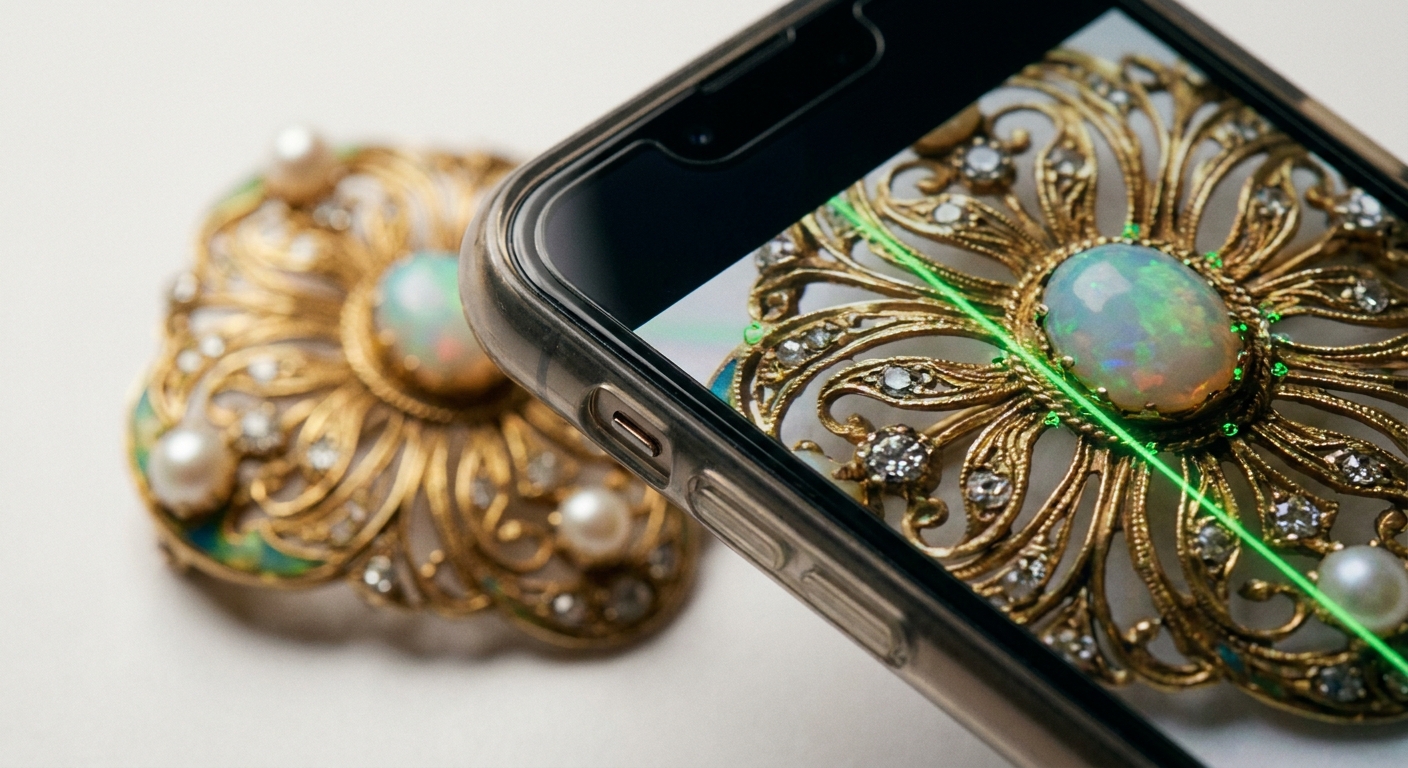
To 3D scan jewelry with a phone, skip LiDAR and use close-range photogrammetry. That means dozens of sharp, overlapping photos taken with one fixed lens at close distance, usually with the piece on a turntable under soft, even light, and with shiny metal and gemstones temporarily matted so the software has stable features to match.
The rest of this article covers why LiDAR fails at this scale, how to set up a small capture rig on a desk, how to shoot, and what to do with the mesh afterwards.
Why doesn't my phone's LiDAR pick up jewelry detail?
Phone LiDAR was built for rooms, furniture and people, not for prongs and filigree. A study evaluating the iPhone 12 Pro for geoscience work found that precision decreases for surfaces under 10 cm in side length, with a practical detection limit around five centimeters. A ring, an earring or a pendant sits well below that, so LiDAR will at best give you a rounded blob of roughly the right size.
The raw depth resolution explains why. According to Apple, the LiDAR Depth Camera accessed through AVFoundation outputs a depth map up to 768 by 576, while ARKit exposes 256 by 192. Spread that grid across a whole scene and only a handful of depth samples land on a small object. Engraving, stone settings and thin chains fall between the samples.
The colour camera, by contrast, has millions of pixels and can focus close. That is why photogrammetry, which reconstructs shape from photos, is the method that works for small objects. For the longer comparison of the two sensors, see LiDAR vs TrueDepth Camera for 3D Scanning on iPhone. Good news for Android users and owners of non-Pro iPhones: you don't need LiDAR for this job at all.
What setup do I need to scan something this small?
You can build a workable rig from things on your desk:
- A turntable. A cheap manual lazy Susan or a motorised photo turntable. It lets you keep the phone at one distance and rotate the object instead.
- A textured base that turns with the object. A sheet of printed newspaper, a patterned card or a mat with random marks. Small, plain objects give the software few features to lock onto; the base supplies them.
- A plain, non-moving background. A sheet of white or grey card behind the turntable. If the background has texture, the software may track the static room instead of the rotating object.
- Diffuse light. Two or three lamps bounced off white card, or a cheap light tent. You want no hard shadows and no bright hotspots.
- A phone stand or tripod, so camera height and distance stay constant within each ring of photos.
- A mounting point. A small ball of putty or modelling clay to hold a ring upright or tilt a pendant.
- A scale reference. A small ruler or a printed card with a known dimension, placed on the base, so you can set true size later.
The turntable approach has one known weakness. Researchers who built a low-cost turntable scanner noted that, because the camera sits at a fixed distance, central areas of larger objects end up farther from the camera and are captured at lower resolution, which is why dedicated macro-photogrammetry setups are used for very small, detailed items. For jewelry this works in your favour: the piece is small, so you can bring the camera close and keep the whole object at near-uniform distance.
How do I deal with shiny metal and gemstones?
This is where most jewelry scans fail. Polished gold and silver act like mirrors: the reflection moves as the piece rotates, so the software sees a different surface in every photo and cannot match points. Faceted stones are worse because they are both reflective and transparent. The Agisoft Metashape manual is blunt about it, advising users to avoid untextured, shiny, highly reflective or transparent objects.
Since you can't avoid the object, change its surface for the duration of the scan:
- Use a temporary matte coating. Purpose-made 3D scanning sprays leave a thin, dull layer that evaporates or wipes off. Dry shampoo or foot powder sprays are common workshop substitutes, though they leave more residue. Test on a hidden spot first, and don't coat porous stones like pearls or opals, or anything you aren't allowed to alter.
- Keep the coat thin. A heavy layer fills engraving and softens edges, which defeats the purpose of scanning fine detail.
- Add light speckle if the coat is too uniform. A perfectly white, featureless surface is almost as hard to match as a mirror. A light mist of a darker powder over the matte layer gives the software points to track.
- Kill remaining glare with light, not exposure. Move lamps until no bright spots remain in the viewfinder, rather than darkening the whole image.
If coating isn't an option, expect gaps on polished areas and plan to fill them in software. Our guide on how to 3D scan shiny, black or transparent objects goes into more surface tricks.
How should I take the photos?
Once the piece is matte and mounted, the capture itself is methodical:
- Pick one lens and stay on it. The Metashape manual recommends fixed lenses with a consistent focal length throughout a capture session. On a phone, that means no zooming and no switching between wide, ultra-wide and telephoto. Watch out for automatic macro modes: on some iPhones, moving close quietly switches to the ultra-wide camera. Turn auto macro switching off or keep a distance where the main camera can still focus.
- Lock focus and exposure. Tap and hold on the object to lock both, so brightness and sharpness don't drift as the turntable rotates.
- Fill the frame, but stay sharp. Get as close as the lens can focus cleanly. A slightly smaller, sharp object beats a frame-filling, soft one every time.
- Shoot rings of photos. Rotate the turntable a few degrees between shots so neighbouring photos overlap heavily. Do one ring at a low angle, one at about 30 to 45 degrees, and one looking down from above.
- Flip and repeat. Rings and pendants have hidden faces. Remount the piece upside down or on its side and shoot another set so the inner band and the back of settings are covered.
- Check sharpness as you go. Zoom into a few photos on the phone. Motion blur and missed focus are the most common reasons fine detail disappears; see why 3D scans come out blurry and how to fix it.
How many photos depends on the complexity of the piece. A plain band needs far fewer than an ornate brooch with openwork. Our article on how many photos you need for a good photogrammetry scan explains how to judge overlap rather than chase a fixed number.
This is also the point where you choose your tools. MagiScan turns an iPhone or Android phone into a 3D scanner and measuring tool and exports scans for 3D printing, AR and e-commerce; at jewelry scale, run a test piece through it and inspect the result before relying on it for a whole collection. Desktop photogrammetry software such as Agisoft Metashape is the route if you want to process your photo set yourself with manual control over every stage.
LiDAR, phone app, desktop photogrammetry or a macro rig: which should I use?
| Approach | What it offers | Limits for jewelry | Best use |
|---|---|---|---|
| MagiScan app on iPhone or Android | Turns the phone into a 3D scanner and measuring tool; exports for 3D printing, AR and e-commerce | Detail at jewelry scale should be checked on a sample piece; surface prep and lighting still matter | Getting from phone scan to a printable, AR or listing file in one app |
| Phone LiDAR scan | Rooms, furniture, people, objects larger than a few centimetres | Precision falls below 10 cm and detection limit is about 5 cm, per the iPhone 12 Pro study | Rough size check only, not detail |
| Desktop photogrammetry (e.g. Agisoft Metashape) from phone photos | Full control over alignment, mesh density and texture | Requires a computer and more processing time; same surface rules apply | Pieces where you want to tune every reconstruction setting |
| Dedicated macro-photogrammetry rig | Very small, highly detailed items, as noted in the Frontiers turntable study | More equipment and setup than a phone | Archival or production-grade detail |
For most sellers and makers, a phone with a careful photo setup lands in the useful middle: far more detail than LiDAR, far less hassle than a dedicated rig.
What do I do with the scan afterwards?
A raw jewelry scan almost always needs a little cleanup:
- Crop away the base and putty. Delete everything that isn't the piece.
- Fill small holes. Polished spots and deep recesses often leave gaps. Fill them carefully so you don't invent geometry that wasn't there. The guide on fixing holes and cleaning up a 3D scan covers the tools.
- Set the scale. Measure the reference ruler or card in the model and scale the mesh to match. Without this, a ring size or stone diameter read from the scan means nothing.
- Export for the job. STL for 3D printing or casting patterns, OBJ when you need texture for rendering, USDZ for AR product views on iPhone.
Keep expectations realistic for printing and casting. Phone photogrammetry captures shape and visible texture well; very fine engraving and micro-pave may still need to be refined in CAD before a piece goes to production.
In short: tiny objects are a camera job, not a LiDAR job. Matte the surface, lock one lens, light it softly, shoot overlapping rings on a turntable, and scale the result. For the scanning and export end, MagiScan turns an ordinary iPhone or Android phone into a 3D scanner and exports for 3D printing, AR and e-commerce, so test it on one of your own pieces to see how much detail it keeps at this size.
Frequently Asked Questions
Can I scan jewelry with an iPhone that has LiDAR?
You can, but don't rely on the LiDAR sensor itself. Research on the iPhone 12 Pro found a practical detection limit of around five centimetres, so the fine detail has to come from the colour camera through photogrammetry.
Do I need to spray my jewelry before scanning?
For polished metal and faceted stones, a thin temporary matte coating is usually the difference between a usable scan and a broken one. Test it on a hidden area first, keep it thin so engraving survives, and skip porous stones or pieces you aren't allowed to alter.
Why does my ring scan come out melted or full of holes?
The usual causes are reflections that change between photos, soft focus from shooting too close, and the phone switching lenses mid-capture. Matte the surface, lock focus and exposure, and stay on a single lens for the whole session.
Can a phone scan be used to 3D print or cast a replica?
Yes, for shape and general proportions, once the mesh is cleaned, scaled against a reference and exported as STL. Very fine engraving or tiny stone settings may need touching up in CAD before casting.