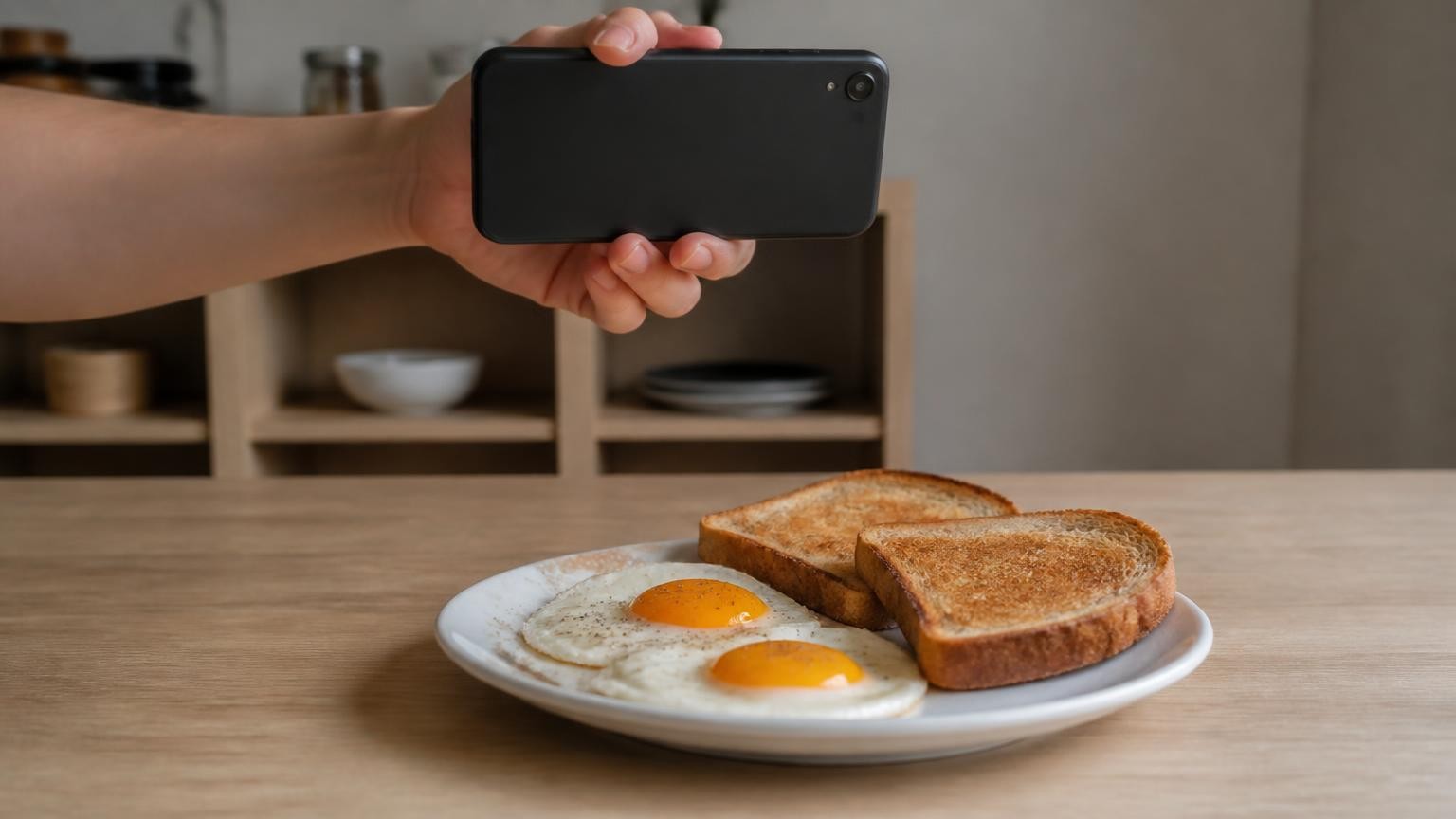
Take one clear photo of the whole plate before you eat, let a calorie app identify each food and estimate the portion, then check what it recognised, correct what it got wrong and add by hand the oil, butter, dressing or sugar that a camera cannot see. Treat the result as an estimate, not a measurement: when researchers at the US National Institutes of Health tested four popular photo apps, the totals came out about 250 to 345 calories per meal too low on average, especially from fat (ScienceDaily).
What does an app actually do with a photo of my plate?
Photo counting works in three steps. The app recognises the foods in the picture, estimates the size of each portion, and then looks those foods up in a nutrition database to turn portions into calories, protein, fat and carbs. That is how ScienceDaily's report on the NIH-led test describes the process, and each step can go wrong in its own way.
- What is on the plate? Recognition is the most mature part. A research review of food portion estimation on arXiv says identifying "what" is on the plate has matured thanks to large datasets, though some foods still look alike, such as pasta sauce and jelly.
- How much is there? This is the hard part, covered in the next section.
- How dense is it? A volume is not yet a calorie count. The same review points out that density varies widely even within one kind of food, a fluffy croissant against a dense bagel, and that methods relying on the picture alone struggle to tell them apart.
- What is hidden? Oil soaked into vegetables, butter melted into rice, dressing under the leaves, sugar in a sauce. None of it shows up in a photo.
Knowing which step failed tells you what to fix. A wrong food name you can correct in seconds. A wrong portion you can adjust if you know roughly what you served. Hidden fat you have to add yourself.
Why is the portion the hardest part to get right?
A photo is flat. The arXiv review calls this the scale ambiguity problem: once a three-dimensional plate becomes a two-dimensional image, depth is lost, and "a small pizza close to the camera is geometrically indistinguishable from a large pizza placed further away." Without something to anchor the scale, an app has to infer size from what plates and portions usually look like.
The review describes several ways around it; three are easy to picture. One is an object of known size in the frame, such as a coin or a checkerboard; it works, but it is one more thing to carry and remember. Another is several photos from different angles, which needs the food to sit still and the user to be patient. The third is a depth sensor, such as the LiDAR scanner in iPhone Pro models, which measures distance to the food instead of guessing it.
The review is frank about the limits of depth too. The resolution of phone LiDAR is often too coarse for small, granular foods such as rice grains and nuts: they get smoothed over, so the gaps between pieces are counted as food. And no sensor sees what is out of sight, such as the bottom of a pile, the filling of a burrito or the inner layers of a lasagna.
How do I take a food photo that gives a better estimate?
You can reduce some of these errors before the app does anything. A short routine:
- Shoot before the first bite, with the whole plate in the frame and a little of the table around it.
- Hold the phone above the plate at a slight angle, so the app sees both the top of the food and how tall it is. A shot straight down can hide how high a pile is.
- Use good, even light. A dim room or a strong shadow makes foods harder to recognise.
- Spread things out where you can. Sides next to the main dish, not under it; sauce in a small pot you can see, not poured over everything.
- One plate per photo. Photograph shared dishes separately and log only your share.
- Read what the app recognised and fix the names: white or brown rice, chicken thigh or breast, regular or diet drink.
- Correct the portion when you know it: the pack said 125 g, you used two eggs, the recipe made four servings.
Aaron Hengist, one of the NIH researchers, put it plainly in the ScienceDaily summary: people who use a photo app "without adjusting the portions or entering the amounts of food should take the results with a grain of salt."
What about the oil and butter the camera cannot see?
This is where many missing calories hide. In that test, the four apps underestimated fat by about 30 grams, and in follow-up tests high-fat ketogenic meals appeared to give them the most trouble. Fat carries more than twice the energy of carbohydrate or protein, gram for gram: according to the NHS, a gram of fat provides 9 kcal, against 4 kcal for a gram of carbohydrate or protein. So a little fat the photo misses moves the total more than the same weight of rice.
A camera and a depth sensor both see surfaces. Oil soaked into fried vegetables, butter melted into mashed potatoes, cream stirred into a sauce, dressing under salad leaves: none of it changes how the plate looks enough to be counted. You have to add it yourself:
- At home, measure the oil or butter with a spoon as you cook, divide it by the number of servings and log your share as a separate item.
- Use the right entry. If your app has no entry for the fat you used, look it up in USDA FoodData Central, the US government's food composition database, rather than picking a generic "oil".
- In a restaurant, assume there is added fat in anything fried, sautéed, glazed or dressed, and log an entry for it even if the amount is a guess. Ask for dressing on the side and log what you actually use.
- Do the same for sugar in drinks and sauces, and for anything stuffed or layered.
Where does an app that measures the portion help?
The step a photo app cannot skip is the portion, and that is where a depth sensor earns its place. MagiScan gives calories, protein, fat and carbs from one photo of the plate. On iPhone 12 Pro and newer Pro models, it uses the phone's LiDAR sensor to measure the volume of the portion in millilitres, so the size comes from a measurement rather than from a guess about a flat picture. On iPhones without LiDAR, the portion is estimated from the photo.
LiDAR measures volume, not calories. The calories and macros are AI estimates in every case, worked out from what the app recognises and that food's density, so a wrong guess about the food still carries through. And LiDAR cannot see oil or butter any more than a camera can, so those you still have to count yourself.
How accurate is counting calories from a photo?
The NIH-led test cited above, which one of its researchers called a direct, high-quality comparison that had not been available before, was presented at NUTRITION 2026, the annual meeting of the American Society for Nutrition, held from 25 to 28 July 2026. Researchers took standardised photos of 102 meals prepared in the metabolic kitchen of the NIH Clinical Center, where ingredients are weighed to the nearest 0.1 gram, and ran them through MyFitnessPal, Lose It!, Cal AI and Appediet. On average, the calorie totals were about 250 to 345 calories too low per meal, an underestimate of about 33% as Healio reported, and carbohydrate estimates were more consistent than fat or total energy.
Keep three things in mind when you read those figures:
- They are preliminary. The results come from a conference abstract that had not yet been through full peer review.
- They cover four named apps and meals from one diet study. They describe those apps on those meals, not photo counting as a whole, and not any app the researchers did not test.
- The error ran one way. Commenting for Healio, Leigh A. Frame of George Washington University noted that a consistent underestimate is more serious than random error, because it does not cancel out from one day to the next. She called these tools "probably best viewed as behavior-change aids rather than precision nutrition instruments."
Hengist's own reading is that people using these apps probably ate more than the app showed, especially from fat. Frame adds that the tools can raise awareness and make logging less of a burden. Use them to spot patterns, such as which meals are heavy and how often you snack, rather than to trust the exact total of a single plate.
When should I not rely on a photo calorie count?
Some decisions need more than an estimate:
- Insulin dosing. A carbohydrate figure from a photo is an AI estimate. Carbohydrates were the most consistent part of the NIH-led test, yet two of the four apps still underestimated them by about 14 g, as Healio reported. Do not use a photo count to dose insulin; use labels, weighed portions and the plan from your diabetes care team.
- Allergies and intolerances. Recognising a dish says nothing reliable about whether it contains an allergen. Ask the kitchen and read the label.
- Eating disorders. If you have, or have had, an eating disorder, or counting makes you anxious, talk to a clinician and do not rely on a counting app.
- Medical or sports nutrition. The Healio commentary says that where intake has to be assessed closely, apps should complement, not replace, individual nutrition assessment.
A photo count is not dietary advice, and it cannot tell you how much you should eat. That is a question for a doctor or a registered dietitian.
Photograph the plate before you eat, check the food names, fix any portion you know and add the oil, butter, dressing and sugar by hand. Now and then, weigh a meal you eat often and compare it with what your photos say, so you learn which way your own estimates lean. If you use an iPhone 12 Pro or a newer Pro model, MagiScan can measure the portion's volume instead of guessing it from a flat picture; the other steps stay with you, because no photo shows the butter in the pan.
Frequently Asked Questions
Can I count calories from a photo without a food scale?
Yes, as an estimate. Photograph the whole plate, correct the food names and portions the app proposes, and add hidden fats by hand. For packaged food, the label is still more reliable than any photo.
Why does my photo app show fewer calories than I expected?
Often because of fat it cannot see: oil, butter, cream and dressings. In the NIH-led test of four apps, fat was underestimated by about 30 grams on average and calories by about a third. Log added fats as separate items to narrow that gap.
Does LiDAR on an iPhone Pro give a better calorie count?
It can improve one input, the size of the portion, because it measures distance instead of inferring it from a flat image. It does not see hidden fat, and the calories still depend on recognising the food and its density, so the result stays an estimate. Research also notes that phone LiDAR struggles with small, granular foods such as rice and nuts.
Can I use a photo calorie count for insulin or allergy decisions?
No. A photo count is an estimate and should never be used to dose insulin or to decide whether a food is safe for an allergy. Use labels, weighed portions and the advice of your care team, and if you have an eating disorder, talk to a clinician rather than relying on a counting app.