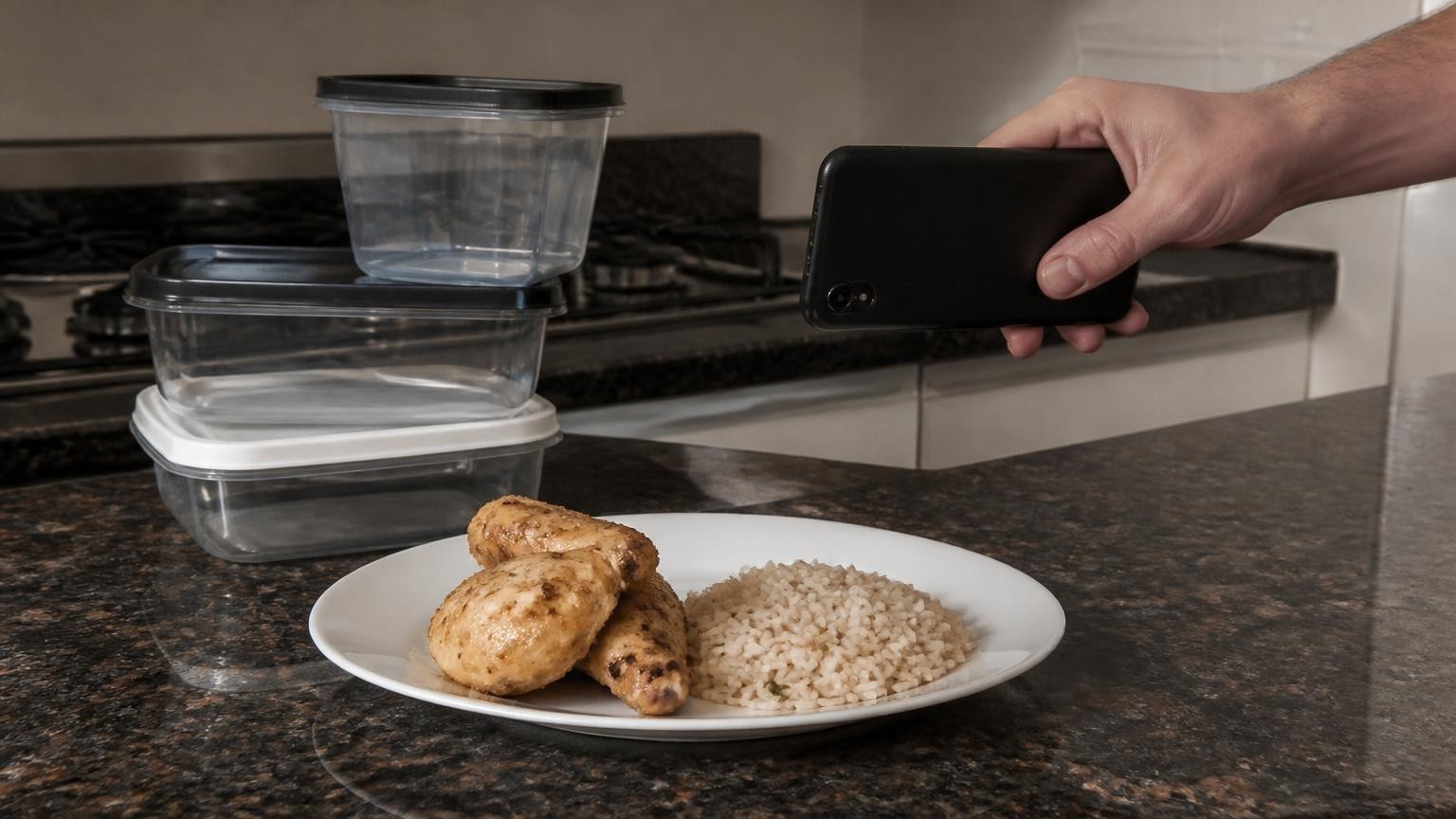
Only roughly: from one ordinary photo a phone infers a portion's size rather than measuring it, because a flat picture has lost the depth that tells a small plate up close from a big one further away. A phone with a depth sensor, such as the LiDAR on iPhone 12 Pro and newer Pro models, can measure the food's volume, but the calories are still an estimate, and oil, butter and fillings stay hidden either way.
Why can't a single photo show how much food is on the plate?
A photo flattens a three-dimensional meal into two dimensions. A review of food portion research posted on arXiv on 4 February 2026 calls this the scale ambiguity problem: without a known reference, a small pizza close to the camera is geometrically indistinguishable from a large pizza placed further away. The authors describe portion estimation from a single image as a mathematically ill-posed problem, because many different volumes can produce exactly the same picture.
Three things get lost or blurred in that flattening:
- Size. Without something of known size in the frame, the software has no ruler. Research systems have used a coin, a checkerboard or a credit card for this, which works but asks you to carry one and place it next to every meal.
- What is underneath. A camera only sees surfaces. The same review points out that the bottom of the food and its insides, such as the filling of a burrito or the layers of a lasagna, stay hidden, which often leads to underestimation on piled food.
- How much food is packed into that size. Even a perfect volume is not a weight. The review's example is a fluffy croissant against a dense bagel: the same volume of each weighs very differently.
The portion is where most of the difficulty sits. In the Nutrition5k study, built on about 5,000 real dishes from a cafeteria, a model that only had to predict calories per gram from a single image had an average error of 9.5%. Asked to predict the whole dish's calories, portion included, the error rose to 26.1%, nearly three times higher. Working out how energy-dense the food was turned out to be the easier part; working out how much of it there was is what nearly tripled the error.
How do apps guess a portion from a flat photo?
Most photo calorie apps follow the same pipeline. As described in the report on a National Institutes of Health test, they use AI image recognition to identify the foods in a picture and estimate the size of each portion, then compare those estimates with nutrition databases to calculate calories and other nutrients.
The size estimate comes from learned experience rather than measurement. Modern models predict depth from a single picture by learning from large collections of images, and newer research teaches them the usual sizes of plates and bowls to use as a hidden ruler. The arXiv review names the weak point: these models depend on what they were trained on and often fail to predict scale for photos taken in everyday conditions. If an app does lean on plate size, an unusually large platter or a small side plate could mislead it.
How far off can that get? The NIH team photographed 102 meals prepared in a metabolic kitchen, where ingredients are weighed to the nearest 0.1 gram, and ran the photos through MyFitnessPal, LoseIt!, CalAI and Appediet. Across the four apps, calorie totals came out about 250 to 345 calories too low per meal on average, and fat was underestimated by about 30 grams. The findings were presented at NUTRITION 2026 on 25 July 2026 as a conference abstract, so they are preliminary until published in a peer-reviewed journal. One of the researchers put the lesson plainly: people who use these apps without adjusting the portions or entering the amounts should take the results with a grain of salt.
What changes when the phone has a depth sensor?
A depth sensor measures the distance to each point in front of the camera, so the phone no longer has to infer how big the plate is. That removes the scale problem at its root, which is why researchers have turned to depth cameras and smartphone LiDAR for portion work.
The evidence that depth helps comes from controlled tests rather than everyday use:
- A team at Bern University Hospital tested a food app on an iPhone X, whose built-in depth sensor uses structured light, on meals from the hospital's central kitchen. Across 48 meals with 128 food items, each weighed on a precision scale, the app's mean absolute error was 14.0% for weight and 12.7% for energy. The viewing angle did not affect accuracy, but cooked meals came out slightly worse than breakfasts and snacks.
- In Nutrition5k, adding a volume estimate from an overhead depth camera brought the error in predicted food mass down from 18.7% to 13.7%. Combined with the calories-per-gram model, that gave a whole-dish calorie error of 16.5%, against 26.1% from the photo alone. The camera sat at a fixed height above the plate in a purpose-built cafeteria rig, a much tidier setup than a phone held over a restaurant table.
Depth has limits of its own. The arXiv review warns that the spatial resolution of mobile LiDAR is often not fine enough for dietary assessment: small, granular food such as rice grains or nuts gets smoothed over, and the gaps between pieces can be counted as solid food. Depth also gives only volume. To get from volume to weight and nutrients, the Bern app combined the volume with food-density databases, and that step stays an estimate: the croissant-and-bagel problem does not go away.
The iPhone X sensor in the Bern study works by structured light, not LiDAR.
What can no phone camera see?
Fat that has soaked in or sits underneath. The oil in a stir-fry, the butter melted into mashed potato or brushed on toast, the dressing absorbed by a salad: none of it changes the shape of the food much, so neither a photo nor a depth reading registers it. The NIH results fit this: the apps underestimated fat by about 30 grams per meal, and in a follow-up on more than 200 further meals the researchers found early signs that high-fat ketogenic meals were harder still.
Other blind spots:
- sugar or syrup stirred into drinks and sauces;
- what is inside a wrap, pie or sandwich;
- a second layer hidden under the top one;
- food you leave on the plate, unless you account for the leftovers.
The fix is to add what the camera cannot know. Count the oil or butter you cooked with as a separate item: measure it with a spoon as it goes into the pan, and log sauces and dressings separately. Telling the software more helps on its own: a study of ChatGPT-5 on 195 dishes found that estimates of energy and all macronutrients improved when the photo came with details a camera cannot capture, such as the type and amount of fat and sweetener, and improved again with a full ingredient list and amounts. Removing the photo while keeping the ingredient list made results worse, so the picture and the words work best together.
How do you get a better portion estimate from your phone?
The same ChatGPT-5 study lists what limits photo estimates in real conditions: portion size, occlusion, mixed dishes, lighting, camera angle and the variety of cuisines. Most of the habits below follow from that list:
- Get the whole plate in frame, in good light. Cropped edges and heavy shadows give the software less to work with.
- Spread out piles where you can. The camera sees surfaces, so food stacked on food hides volume.
- Photograph before you mix. A curry over rice is easier to read before it is stirred together.
- Add the invisible extras by hand. Oil, butter, dressing, sugar in coffee.
- Check the number against common sense. If a heaped plate of pasta comes back lower than a snack, retake the photo or adjust the portion.
- Weigh when precision matters. For a dish you cook every week, weighing it once gives you a reference no photo can.
If you want an app that uses the depth sensor, MagiScan has a Calories and macros mode that estimates calories, protein, fat and carbs from one photo of the plate. On iPhone 12 Pro and newer Pro models, the LiDAR sensor measures the volume of the portion in millilitres instead of inferring it from the picture; on iPhones without LiDAR, the portion is estimated from the photo. In both cases the calories and macros are AI estimates, worked out from what the food is recognised as and its density, and neither the camera nor LiDAR can see oil or butter cooked into or hidden under the food, so add those yourself.
When should you not rely on a photo estimate at all?
Any photo-based number is an estimate, with or without a depth sensor. Do not use it to dose insulin, and do not use it to decide whether a dish is safe for someone with a food allergy: a camera cannot tell what is in a sauce. If you have diabetes or another condition where intake matters, agree your approach with your care team.
If you have, or think you may have, an eating disorder, talk to a clinician rather than relying on any counting app. Numbers on a screen can feed the problem instead of helping.
For everyday use, a phone estimate gives a quick, rough picture of a meal: useful for spotting patterns over a week, not a replacement for a scale or a professional. An app that uses a depth sensor, such as MagiScan on an iPhone 12 Pro or newer Pro model, measures the volume of the portion instead of inferring it, but the calories it gives are still estimates, and it cannot see what was cooked into the food.
Frequently Asked Questions
Can a phone measure portion size without a kitchen scale?
Yes, with limits. From an ordinary photo the app infers the portion from what it has learned about food and plates, while a depth sensor such as the LiDAR on iPhone 12 Pro and newer Pro models measures the food's volume. Either way, turning that portion into weight and calories relies on estimated density, so a scale remains more precise.
Does LiDAR on an iPhone Pro measure calories?
No. LiDAR measures volume, not calories: the calories depend on what the food is recognised as and how dense it is, and the sensor cannot see oil or butter inside the food. The depth studies cited here used the iPhone X depth sensor and a fixed overhead depth camera, not iPhone LiDAR on real meals.
Why do photo calorie apps tend to undercount?
In an NIH test of four popular apps on 102 precisely weighed meals, calorie totals came out about 250 to 345 calories too low per meal on average, and fat was underestimated by about 30 grams. Cooking fat that a camera cannot see is one plausible reason. The results come from a conference abstract and are preliminary.
Can I use a photo estimate for insulin dosing or food allergies?
No. Photo and depth estimates are not precise enough to dose insulin, and a camera cannot see allergens in a sauce or a filling. Follow your care team's guidance, and if you have an eating disorder, speak to a clinician rather than relying on a counting app.