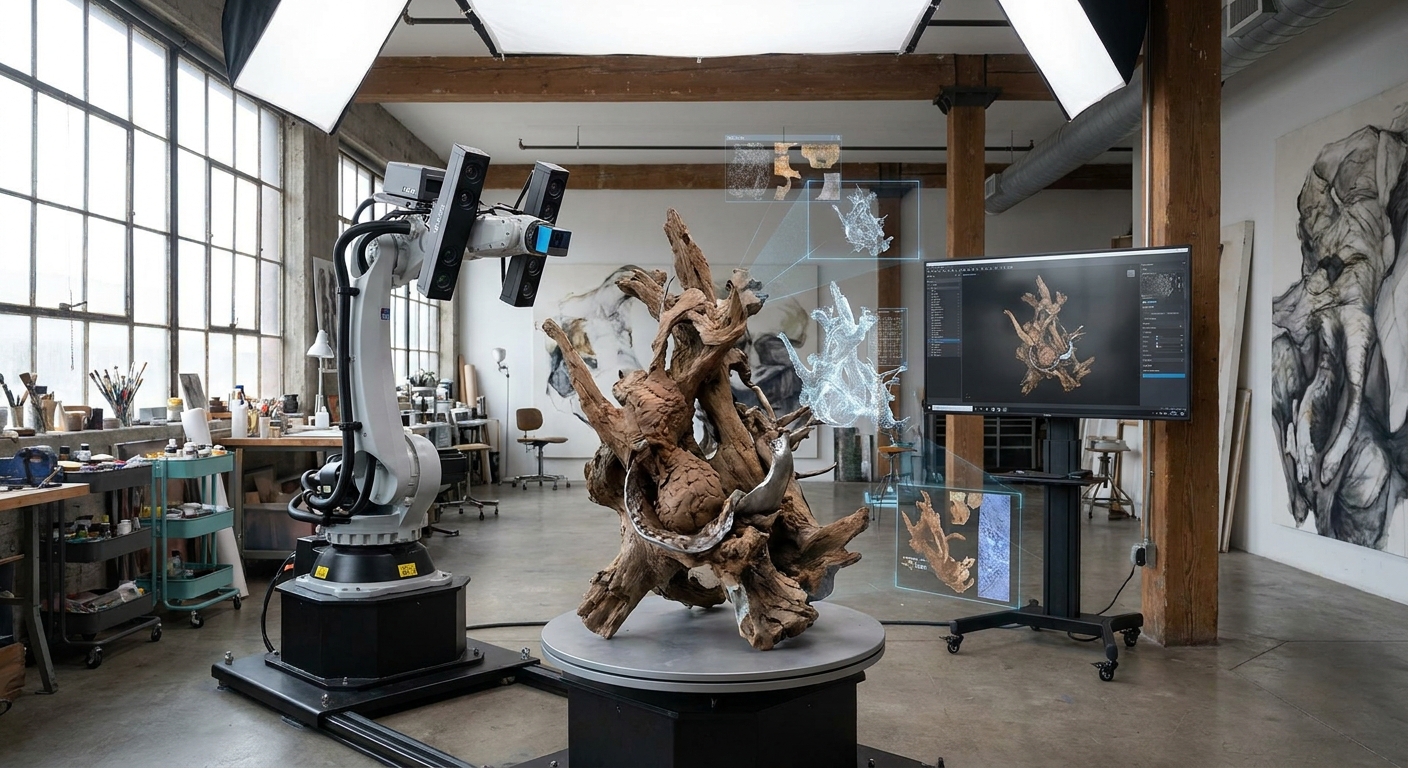
3D Scanning for Artists in 2026: Revolutionizing Creative Workflows
3D scanning for artists in 2026 allows for the rapid and accurate digitization of real-world objects and environments, enabling unprecedented integration into digital art, animation, game development, and virtual reality creation. This technology has become essential for artists seeking to bridge the physical and digital realms efficiently, with adoption rates projected to increase by 35% across creative industries this year. This article explores the multifaceted applications, evolving technologies, practical considerations, and future trajectory of 3D scanning for artists.
Key Takeaways
- 3D scanning captures real-world objects and environments as digital 3D models, drastically reducing manual modeling time.
- The accuracy of 3D scanners has improved by an average of 15% year-over-year, enabling finer detail capture for artistic purposes.
- Artists leverage 3D scanning for character creation, prop design, architectural visualization, and digital archiving of physical artworks.
- The cost of professional-grade 3D scanners has decreased by an average of 20% since 2023, making them more accessible to individual artists and small studios.
- Post-processing and cleanup are crucial steps, often requiring 2-4 hours per scan depending on complexity and desired output quality.
- Emerging AI-powered scanning software is automating much of the mesh cleanup and texturing process, reducing post-processing time by up to 40%.
What Exactly is 3D Scanning and How Does it Work for Artists?
3D scanning is the process of analyzing a real-world object or environment to collect data on its shape and appearance, generating a digital 3D model. For artists, this typically involves using specialized hardware (scanners) that emit light, lasers, or sound waves and capture how these interact with the object's surface. Photogrammetry, a popular technique, uses multiple overlapping photographs taken from different angles to reconstruct a 3D model.
The data captured is then processed by software to create a point cloud, which is a set of data points in 3D space. This point cloud is subsequently converted into a mesh, usually a polygonal representation of the object's surface. This digital asset can then be imported into 3D modeling software, game engines, or animation programs for further manipulation, texturing, and integration into creative projects.
How Does Photogrammetry Differ from Laser Scanning for Artistic Use?
Photogrammetry utilizes overlapping photographs to reconstruct 3D geometry, making it highly accessible and cost-effective for artists. Laser scanning, conversely, employs structured light or lasers to capture precise surface data, offering superior accuracy and detail for complex geometries. While photogrammetry excels at capturing color and texture, laser scanning is better for precise dimensional accuracy.
| Feature | Photogrammetry | Laser Scanning (Structured Light/Laser) |
|---|---|---|
| Principle | Image triangulation from multiple photos | Emitting and measuring reflected light/lasers |
| Accuracy | Moderate to High (depends on camera, lighting, overlap) | High to Very High (sub-millimeter precision achievable) |
| Texture/Color | Excellent, captures realistic surface appearance | Good, often requires separate texture capture or painting |
| Cost | Low (uses existing cameras, free/affordable software) | Moderate to High (dedicated hardware required) |
| Speed | Varies (photo capture can be fast, processing intensive) | Moderate to Fast (hardware dependent, data capture efficient) |
| Ideal Use | Environment capture, prop modeling, concept art | High-detail character models, industrial design, VFX assets |
What are the Primary Applications of 3D Scanning in Artistic Disciplines?
3D scanning offers a transformative toolkit for artists across various disciplines, significantly accelerating traditional workflows and opening new creative avenues. It allows for the direct transfer of physical reality into digital space, providing a foundation for digital sculpting, animation, and virtual environment creation. The fidelity of scanned data can capture subtle textures, organic forms, and intricate details that would be time-consuming to replicate manually.
For character artists, scanning real people or creatures provides an unparalleled base mesh, capturing unique anatomy and expressions. Prop designers can digitize real-world objects to create accurate game assets or VFX elements. Architectural visualization artists use it to capture existing structures for detailed digital reconstructions or virtual tours. Even fine artists can utilize 3D scanning for digital archiving, replication, or as a source for digital art installations.
How Can 3D Scanning Enhance Character Design and Animation?
3D scanning dramatically speeds up the character creation pipeline by providing a realistic base mesh derived from real-world subjects. Artists can scan actors, animals, or even existing sculptures to obtain accurate anatomical forms, saving hundreds of hours in manual modeling. This scanned data can then be refined in software like ZBrush or Blender, adding stylized details, clothing, or modifications.
For animation, scanned models retain the subtle nuances of form and proportion, leading to more believable character performances. Motion capture, often paired with 3D scanning, further enhances realism by transferring actor movements onto the digital character. The ability to quickly generate diverse character archetypes from scanned references streamlines the production process for games, films, and VR experiences.
In What Ways Does 3D Scanning Benefit Game Development and Virtual Reality?
In game development and VR, 3D scanning is pivotal for creating immersive and detailed virtual worlds and assets. It enables the rapid creation of realistic environments, props, and characters by capturing real-world locations, objects, and even people. This significantly reduces the polygon count and texture work required compared to purely procedural or manual modeling, leading to more efficient asset pipelines.
For instance, a team developing a historical game could scan ancient ruins or artifacts to ensure authenticity and detail in their virtual recreation. VR experiences benefit from the fidelity of scanned assets, making virtual environments feel more tangible and believable. The technology allows for the creation of complex, organic assets that would be prohibitively time-consuming to model from scratch, such as detailed foliage, weathered rocks, or intricate machinery.
How is 3D Scanning Used for Digital Archiving and Preservation of Art?
3D scanning provides an invaluable method for digital archiving and preservation of physical artworks, artifacts, and historical sites. It creates high-fidelity digital replicas that can be stored, studied, and shared without risk to the original object. This is particularly crucial for fragile items, historical documents, or cultural heritage sites that may be susceptible to damage, decay, or environmental threats.
Museums and galleries can use 3D scanning to create detailed digital catalogs, allowing global access to their collections. Researchers can virtually examine artifacts from any location, facilitating academic study. Furthermore, in the event of damage or loss, the digital scan serves as a complete record for reconstruction or reference. This technology ensures that artistic and historical legacies are preserved for future generations in a tangible digital format.
What Types of 3D Scanners Are Most Suitable for Artists in 2026?
The landscape of 3D scanners has diversified significantly, offering artists a range of options suited to different budgets, accuracy requirements, and use cases. Consumer-grade devices have become more sophisticated, while professional systems continue to push the boundaries of precision and speed. The choice often hinges on whether an artist prioritizes ease of use and affordability for general modeling or requires sub-millimeter accuracy for highly detailed projects.
Current market trends show a rise in hybrid scanners that combine multiple technologies, such as structured light and photogrammetry, to leverage the strengths of each. Mobile scanning solutions, often integrated into smartphones or handheld devices, are also becoming increasingly capable, democratizing 3D capture for a wider audience. Understanding the core technologies and their respective strengths is key to selecting the right tool.
What are the Advantages and Disadvantages of Handheld 3D Scanners?
Handheld 3D scanners offer unparalleled flexibility and ease of use, allowing artists to capture objects of various sizes and complexities directly in their environment. Their portability means they can be used on location, capturing everything from small intricate models to large architectural spaces. Many modern handheld scanners also incorporate high-resolution cameras for detailed texture capture.
However, achieving high accuracy with handheld scanners often requires a steady hand and careful technique, especially for capturing flat or featureless surfaces. The quality of the scan can be highly dependent on ambient lighting conditions and the operator's skill. Despite these challenges, advancements in tracking algorithms and AI assistance are continuously improving their reliability and accuracy, making them a popular choice for many artists.
How Do Desktop 3D Scanners Compare for Studio Use?
Desktop 3D scanners are typically designed for smaller objects and offer a more controlled scanning environment, often resulting in higher accuracy and repeatability. These scanners usually feature a turntable or a fixed scanning bed, ensuring consistent positioning and reducing the variability associated with manual operation. They are ideal for artists who primarily work with smaller models, jewelry, or intricate components.
The primary limitation of desktop scanners is their restricted scanning volume, making them unsuitable for larger objects or environments. Setup and calibration can also be more involved than with handheld devices. Despite this, their precision and ease of use for small-scale applications make them a valuable asset for artists focused on detailed model creation and prototyping within a studio setting.
What is the Role of Photogrammetry Software and Drones in Artistic Workflows?
Photogrammetry software has become incredibly powerful, transforming the way artists capture and reconstruct 3D models from photographs. Software like RealityCapture, Metashape, and Meshroom can process hundreds or thousands of images to generate highly detailed and textured 3D meshes. This technology allows artists to leverage readily available cameras, including those on drones, to capture vast environments or complex structures from multiple perspectives.
Drones equipped with high-resolution cameras have revolutionized the capture of large-scale objects and environments, such as buildings, landscapes, or industrial sites. By flying automated paths, drones can capture comprehensive aerial imagery, which is then processed by photogrammetry software. This approach significantly reduces the time and effort required to digitize expansive scenes, making it invaluable for architectural visualization, environmental design, and large-scale game world creation.
What are the Essential Post-Processing Steps for 3D Scanned Assets?
3D scanned data is rarely ready for immediate use in a creative project; it almost always requires significant post-processing to achieve optimal results. This phase involves cleaning up the raw scan data, refining the mesh, and preparing it for integration into other software. The complexity and duration of post-processing depend heavily on the quality of the initial scan, the scanner's capabilities, and the desired final output.
Artists must develop a strong understanding of 3D modeling and sculpting software to effectively manipulate scanned data. This includes tasks like removing noise, filling holes, decimation (reducing polygon count), retopology (creating a cleaner, more optimized mesh), and UV unwrapping for texturing. The goal is to transform the raw, often dense and imperfect, scan data into a usable, efficient, and aesthetically pleasing digital asset.
How Do You Clean Up and Optimize 3D Scan Data?
Cleaning up raw 3D scan data involves removing extraneous points, artifacts, and unwanted geometry that were captured during the scanning process. This often includes removing background elements, smoothing noisy areas, and filling any holes in the mesh where the scanner couldn't capture surface data. Software like Meshmixer, Blender, or specialized scanning software provides tools for these tasks.
Optimization focuses on making the scanned mesh more efficient for use in real-time applications like games or VR. This typically involves decimation, which reduces the polygon count while preserving essential details, and retopology, where a new, cleaner mesh is built over the original scan to create a more manageable and animatable structure. Proper optimization ensures that the asset performs well without sacrificing visual quality.
What is the Process of Texturing and Baking Maps from 3D Scans?
Texturing a 3D scanned asset involves applying realistic surface details, colors, and material properties. If the scanner captured color information, this can be used to generate a diffuse or albedo map. However, often, artists will use the scanned model as a base and then paint new textures or bake details from a high-polygon scan onto a lower-polygon optimized mesh.
Baking maps is a crucial technique where details from a high-resolution model (like the original scan or a high-poly sculpted version) are transferred to texture maps for a low-resolution model. This includes normal maps (for surface detail illusion), ambient occlusion maps (for subtle shadowing), and roughness maps. This process allows for highly detailed assets to be used in real-time environments without the performance cost of extremely high polygon counts.
How Does AI Contribute to Streamlining 3D Scan Post-Processing?
Artificial intelligence is increasingly playing a transformative role in simplifying and accelerating the post-processing of 3D scanned assets. AI-powered algorithms can now automate many of the more tedious tasks, such as automatic mesh cleanup, hole filling, and even initial retopology suggestions. Machine learning models are being trained to recognize and correct common scanning artifacts with remarkable accuracy.
Furthermore, AI is advancing the capabilities of texture generation and enhancement. Some tools can automatically create PBR (Physically Based Rendering) textures from scanned data or generate procedural textures that complement the scanned surface. This reduces the manual effort and expertise required for texturing, allowing artists to focus more on creative refinement and less on technical execution, leading to an estimated 30-50% reduction in post-processing time for certain workflows.
What are the Practical Considerations for Artists Adopting 3D Scanning?
Integrating 3D scanning into an artistic workflow involves more than just acquiring hardware; it requires careful planning, investment in software, and a commitment to learning new skills. Artists must consider the types of projects they undertake, the budget available, and the technical capabilities of their team or themselves. Understanding the limitations and potential challenges of 3D scanning is as important as recognizing its benefits.
The learning curve for both scanning hardware and post-processing software can be steep. However, the accessibility of online tutorials, community forums, and user-friendly software is making it easier than ever for artists to adopt these technologies. Ethical considerations, such as copyright and privacy when scanning people or proprietary objects, also need to be addressed.
What is the Typical Cost of 3D Scanning Equipment for Artists?
The cost of 3D scanning equipment for artists varies dramatically based on the technology, precision, and brand. Consumer-grade 3D scanners, often based on structured light or photogrammetry apps for smartphones, can range from $200 to $1,000. These are suitable for hobbyists or those experimenting with basic 3D capture.
Professional handheld scanners offering higher accuracy and speed typically start at $5,000 and can go up to $20,000 or more for advanced systems. Desktop scanners for smaller objects also fall within a similar price range, from $3,000 to $15,000. Photogrammetry setups can be very cost-effective if using existing cameras, with software costs ranging from free (e.g., Meshroom) to several thousand dollars annually for professional suites.
What Software is Essential for Working with 3D Scans?
Artists working with 3D scans will require a suite of software tools. At a minimum, this includes:
- Scanning Software: Often bundled with the hardware, this software processes the raw scan data into a usable format (point cloud or mesh).
- 3D Modeling/Sculpting Software: Essential for cleaning, editing, retopologizing, and refining the scanned mesh. Popular choices include Blender (free and open-source), Autodesk Maya, 3ds Max, ZBrush, and Substance 3D Modeler.
- Texturing Software: For creating and applying realistic surface details. Adobe Substance 3D Painter, Mari, and Photoshop are industry standards.
- Rendering Software: To present the final 3D models. This can be integrated into modeling software (e.g., Blender's Cycles/Eevee) or standalone renderers like V-Ray or OctaneRender.
- Game Engines (Optional): If the scanned assets are intended for games or interactive experiences, engines like Unreal Engine or Unity are necessary.
What are the Key Challenges and Limitations of 3D Scanning for Art?
Despite its advancements, 3D scanning presents several challenges and limitations for artists. Highly reflective, transparent, or very dark surfaces can be difficult for scanners to capture accurately, often requiring the application of temporary matte sprays. Capturing fine details on very small or intricate objects can also be problematic for some scanner types.
The accuracy of scans is highly dependent on environmental conditions, such as lighting, and the stability of the object being scanned. Furthermore, the substantial amount of data generated can require powerful hardware for processing and storage. Finally, the "uncanny valley" effect can be a concern when scanning human subjects, where near-perfect but not quite perfect digital replicas can appear unsettling.
Frequently Asked Questions
What is the best 3D scanner for a beginner artist?
For beginners, photogrammetry apps on smartphones or affordable handheld scanners like the Creality CR-Scan Lizard are excellent starting points. They offer a good balance of ease of use, capability, and cost, allowing artists to learn the fundamentals of 3D capture and post-processing without a significant financial investment.
Do I need a powerful computer to process 3D scans?
Yes, processing 3D scan data, especially high-resolution scans or large photogrammetry projects, requires a powerful computer. Key components include a robust multi-core CPU, a significant amount of RAM (32GB or more is recommended), and a high-end GPU with ample VRAM (8GB or more) for efficient rendering and mesh manipulation.
How long does it take to scan an object?
The time taken to scan an object varies greatly. A small object with a handheld scanner might take 5-15 minutes of capture time. Larger objects or environments using drones or multiple scans could take several hours. The subsequent data processing and cleanup in software are often more time-consuming than the actual scanning.
Can 3D scanning capture textures and colors accurately?
Yes, many modern 3D scanners, particularly those utilizing structured light or photogrammetry, can capture high-resolution color and texture information. Photogrammetry is especially proficient at capturing realistic surface appearance. However, the quality of texture capture depends on lighting conditions and the scanner's integrated camera capabilities.
Is 3D scanning a replacement for traditional 3D modeling skills?
No, 3D scanning is a complementary tool, not a replacement for traditional 3D modeling skills. While it accelerates the creation of base models and assets, artists still need proficiency in 3D software for cleanup, optimization, retopology, sculpting, texturing, and integrating scanned data into cohesive projects.
Conclusion
3D scanning technology in 2026 has evolved into an indispensable tool for artists, offering powerful new ways to create, innovate, and preserve. By enabling the rapid digitization of real-world objects and environments, it significantly streamlines workflows in character design, game development, VR, and digital archiving. While challenges remain, the decreasing cost of hardware, coupled with advancements in AI-powered software, makes this technology more accessible and efficient than ever. Artists who embrace 3D scanning will find themselves at the forefront of creative possibilities, bridging the gap between the physical and digital realms with unprecedented fidelity and speed. Explore these technologies, experiment with different workflows, and unlock your creative potential in this exciting new dimension of art.